
PARAMOUNT+
2024
A Spoiler-Free Entry Point for Live Sports
Millions of fans tune into Paramount+ to stream live sports like UEFA Champions League, Serie A, and NFL. Prior to this feature's release, users who joined a stream late could spoil the current action for themselves when they saw the score at the live edge. My job was to prevent that for users who wanted to restart the stream from the beginning. I was the sole product designer for a new pre-stream module that solved this pain point, guiding the end-to-end experience from early ideation to a unified launch across OTT, Web, and Mobile platforms.
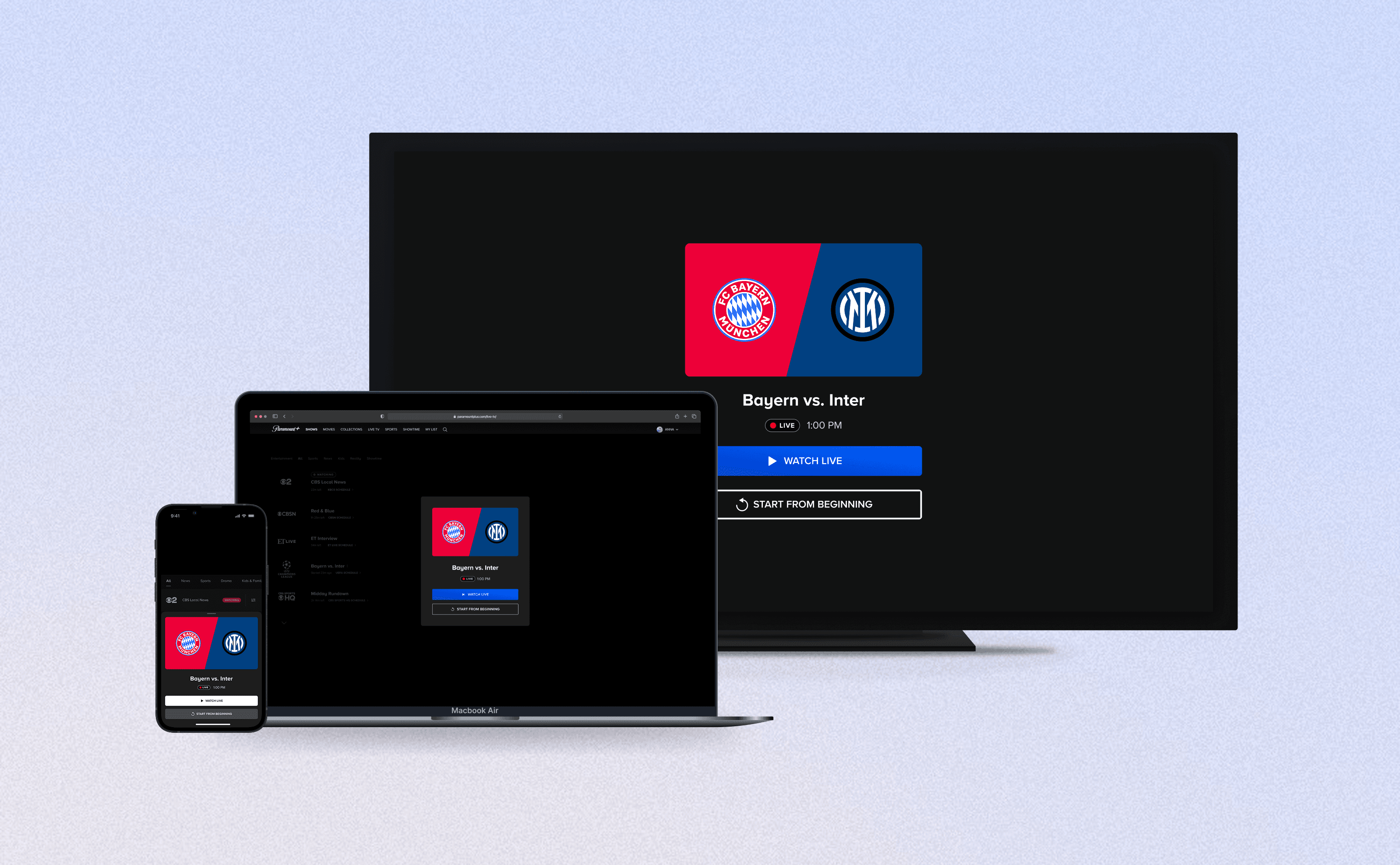
Role
Sr. Product Designer
Timeline
Aug 2024 - Jan 2024
Launched in Jun 2024
Platforms
OTT, Web, and Mobile
INTRODUCTION
Why create an anti-spoiler modal?
Desired features from our subscribers
The demographic of live sports fans were some of Paramount+'s most loyal subscribers, maintaining high retention rates. However, users who joined a game late faced a frustrating pain point: entering the livestream at the current live point meant they were instantly exposed to the current score, ruining the suspense of the game.
The business requirement
To cater to this dedicated fanbase, the business prioritized adding in "Start from Beginning" pre-stream modal. The requirement was to intercepts the user right before the live broadcast begins, requiring them to either select "Watch Live" or "Start from Beginning."
SOLUTION
An anti-spoiler experience, tailored to each platform
Solution for OTT — Full-screen modal with clear CTAs
For OTT platforms (Roku, Android TV, Smart TV, tvOS), the "Start from Beginning" pre-stream modal appeared after the user selected a live sports thumbnail, but before the stream started playing. The UI keeps the user focused on the available options, requiring active input from the TV remote before any video/audio starts playing.
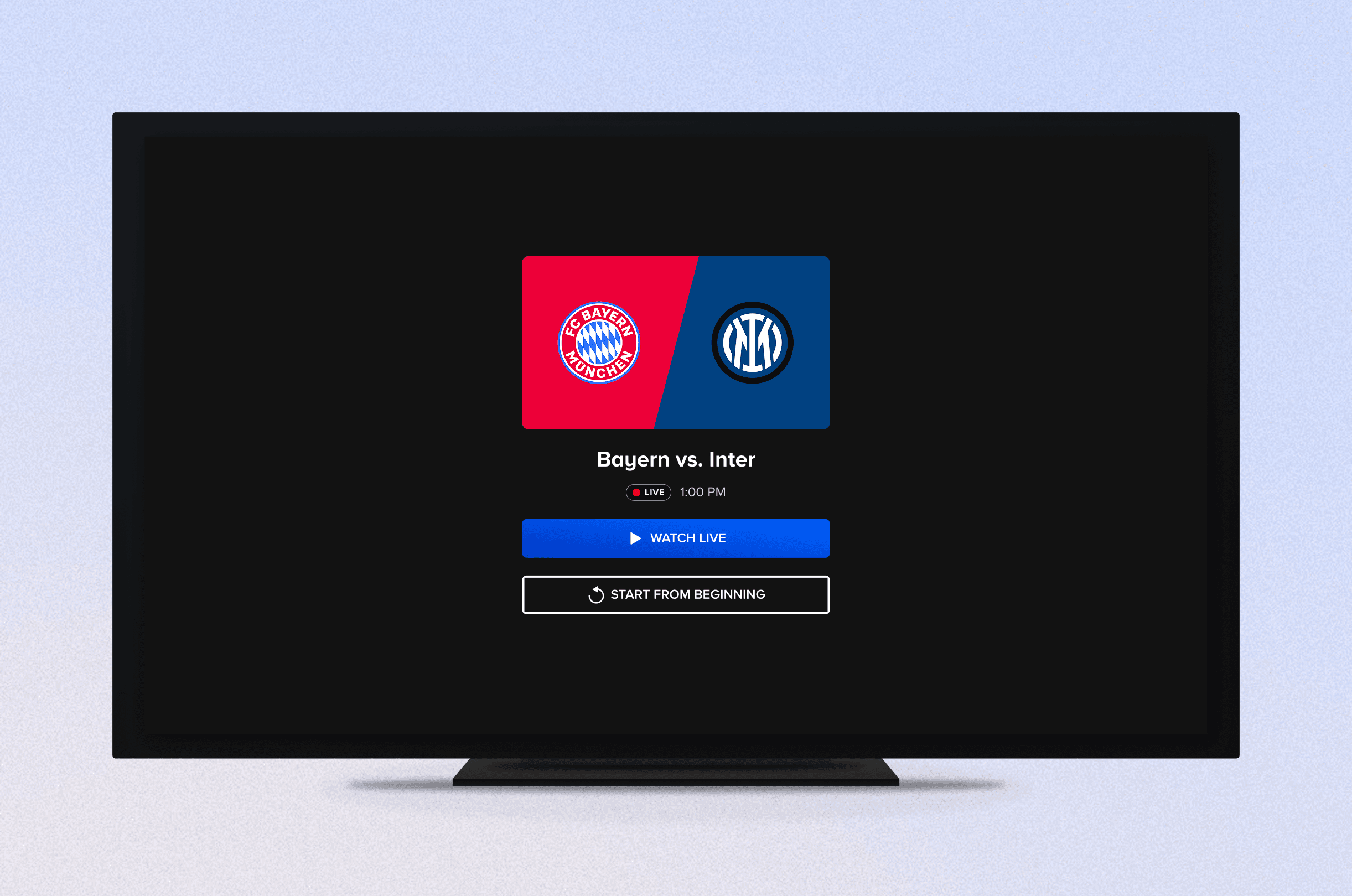
The shipped modal on OTT devices.
Solution for Web — Floating modal providing user with clear choices
Similar to the OTT design and flow, the "Start from Beginning" modal appears after the user selects the livestream thumbnail. The modal floats in the middle of the screen, sitting on top of the Live TV player on an overlay.
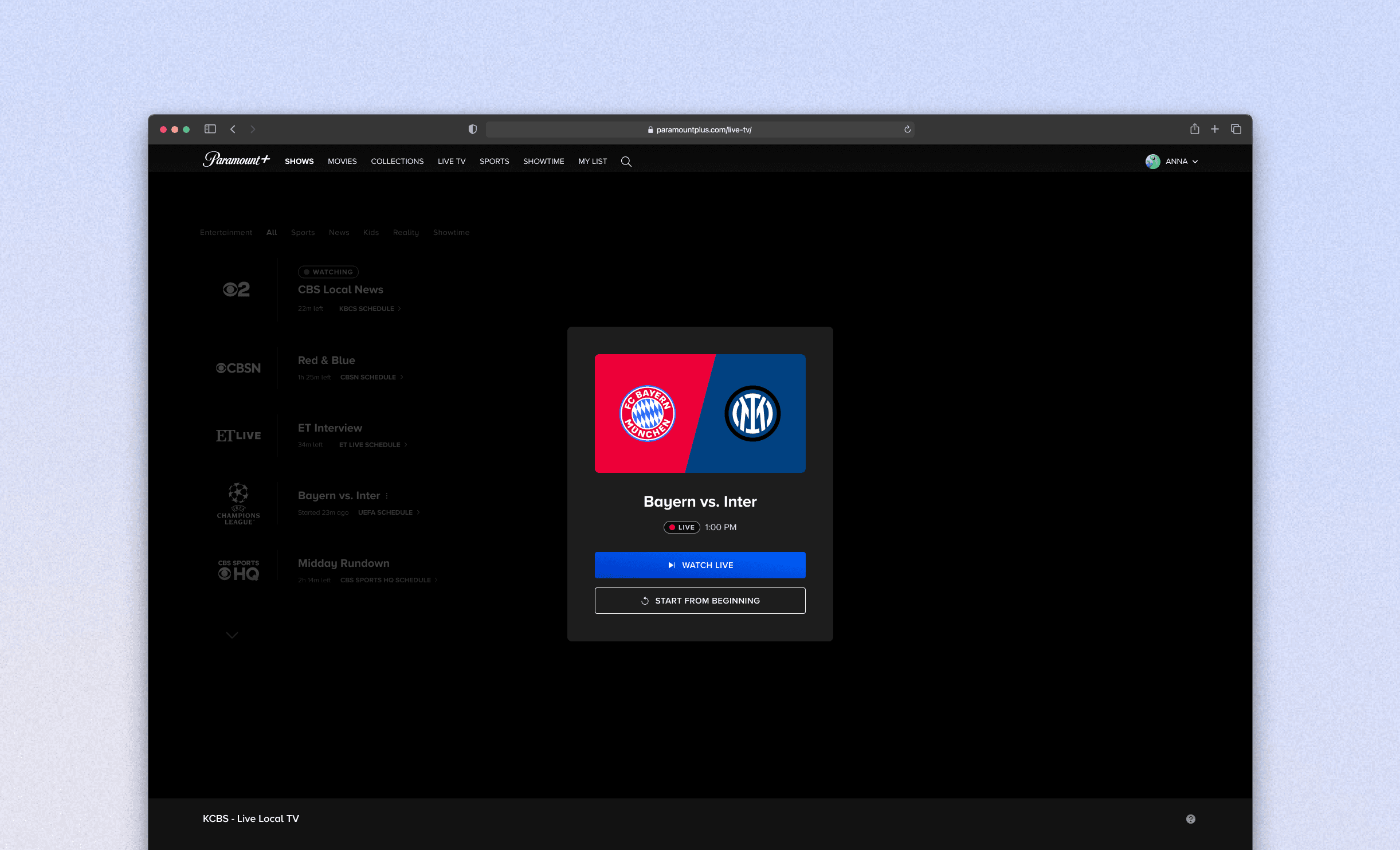
The shipped modal on Web.
Solution for Mobile/Tablet — Sheet slides out from the bottom
For iOS and Android Mobile/Tablet, I leaned more into native mobile behaviors, and shipped a sheet that slides out from the bottom. The user can either swipe or tap the outer area to close out the sheet, which takes them straight into the default Live TV channel.
For iPad, a floating modal was used to follow Apple's Human Interface Guidelines. The bottom sheet was maintained for Android Tablet, based on Material Design's Guidelines.
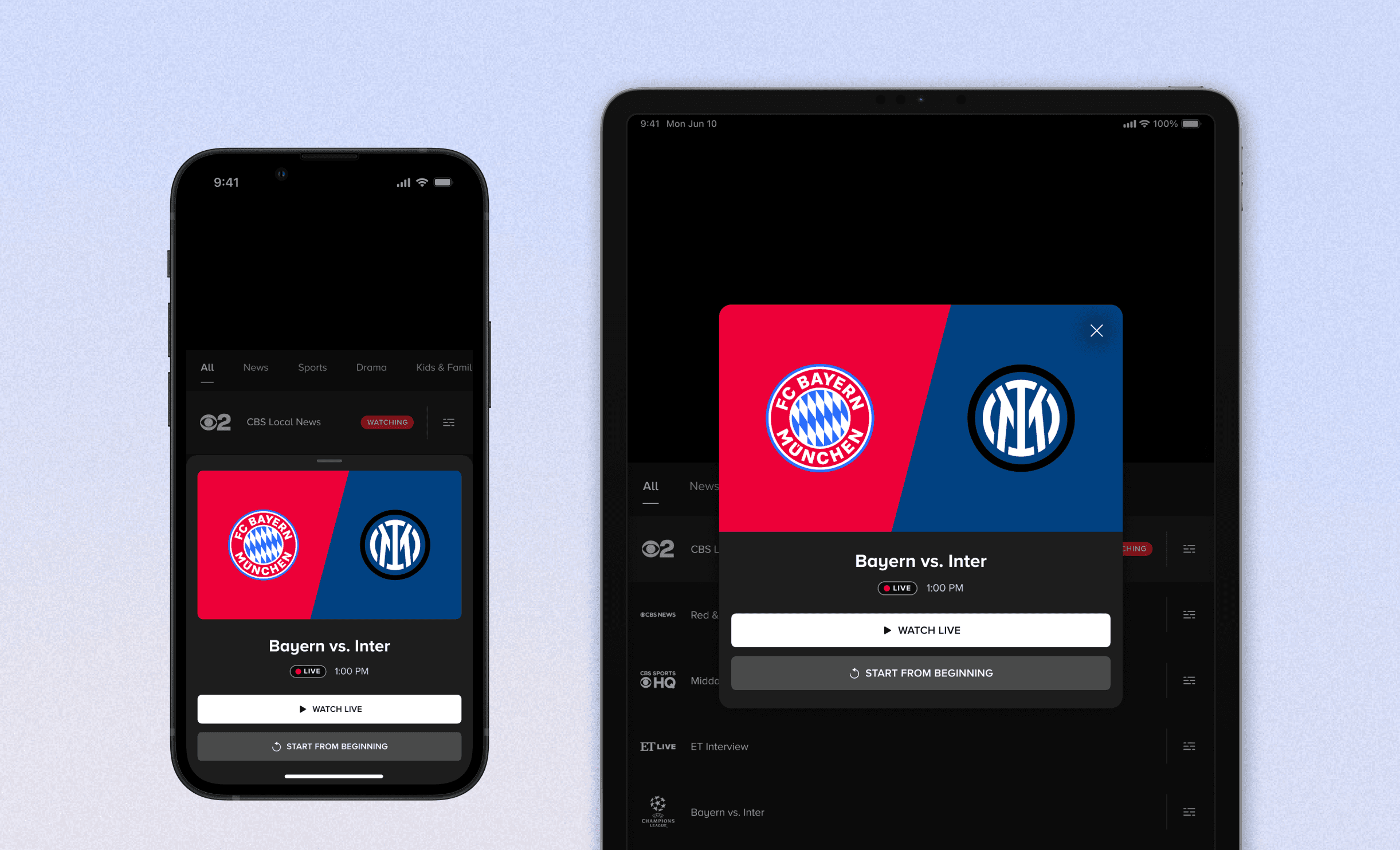
The shipped modal on iOS Mobile/Tablet.
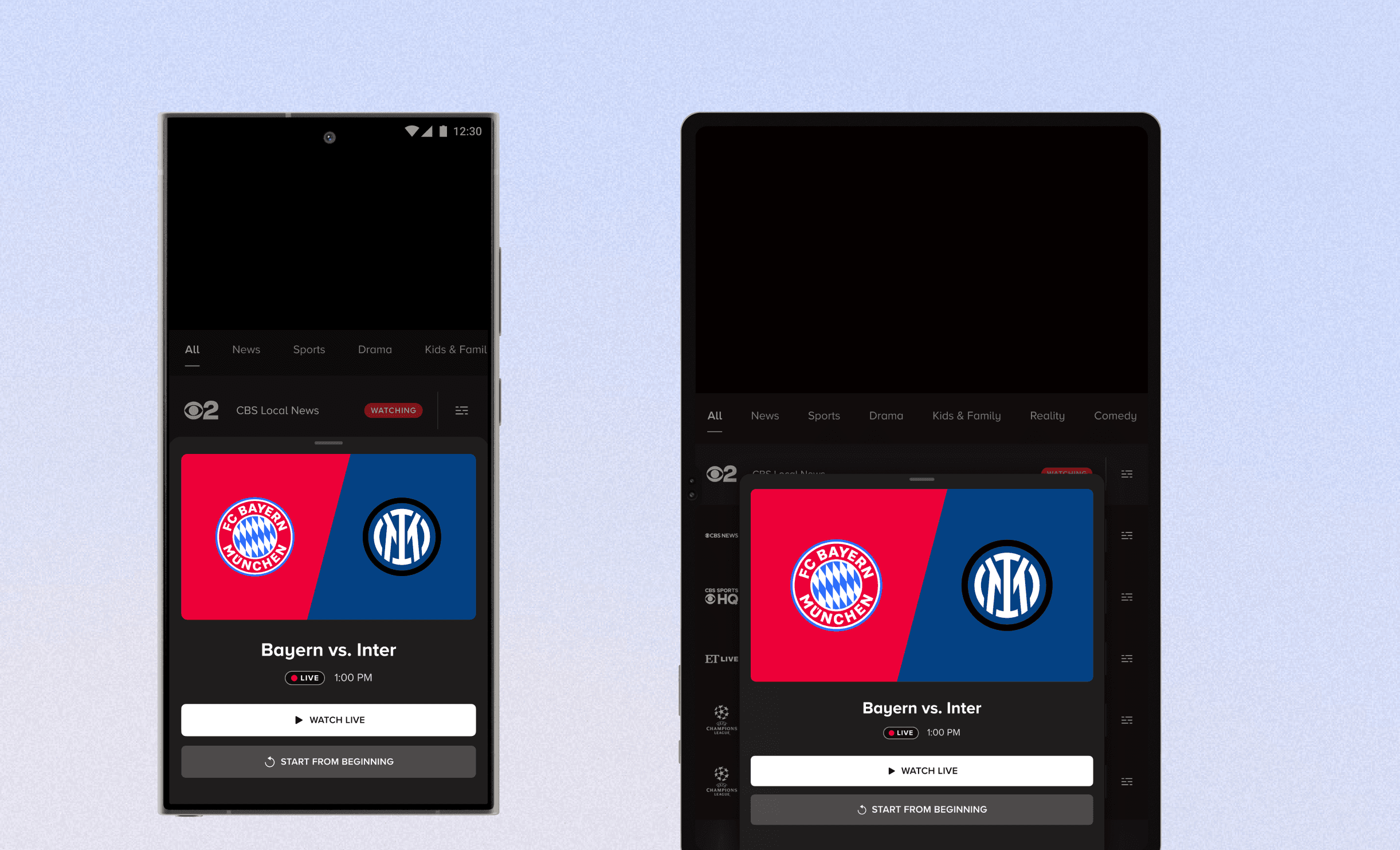
The shipped modal on Android Mobile/Tablet.
CHALLENGE
Designing within strict boundaries
Our biggest technical hurdle was ownership and architecture. The feature needed to live entirely within the video player, as the surfaces where users typically discover content were owned by a separate team. This constraint completely changed the expected user flow. By moving the decision-making moment into the player, I had to account for new edge cases, such as how a user gracefully backs out of the modal and returns to the broader app without triggering the live stream.
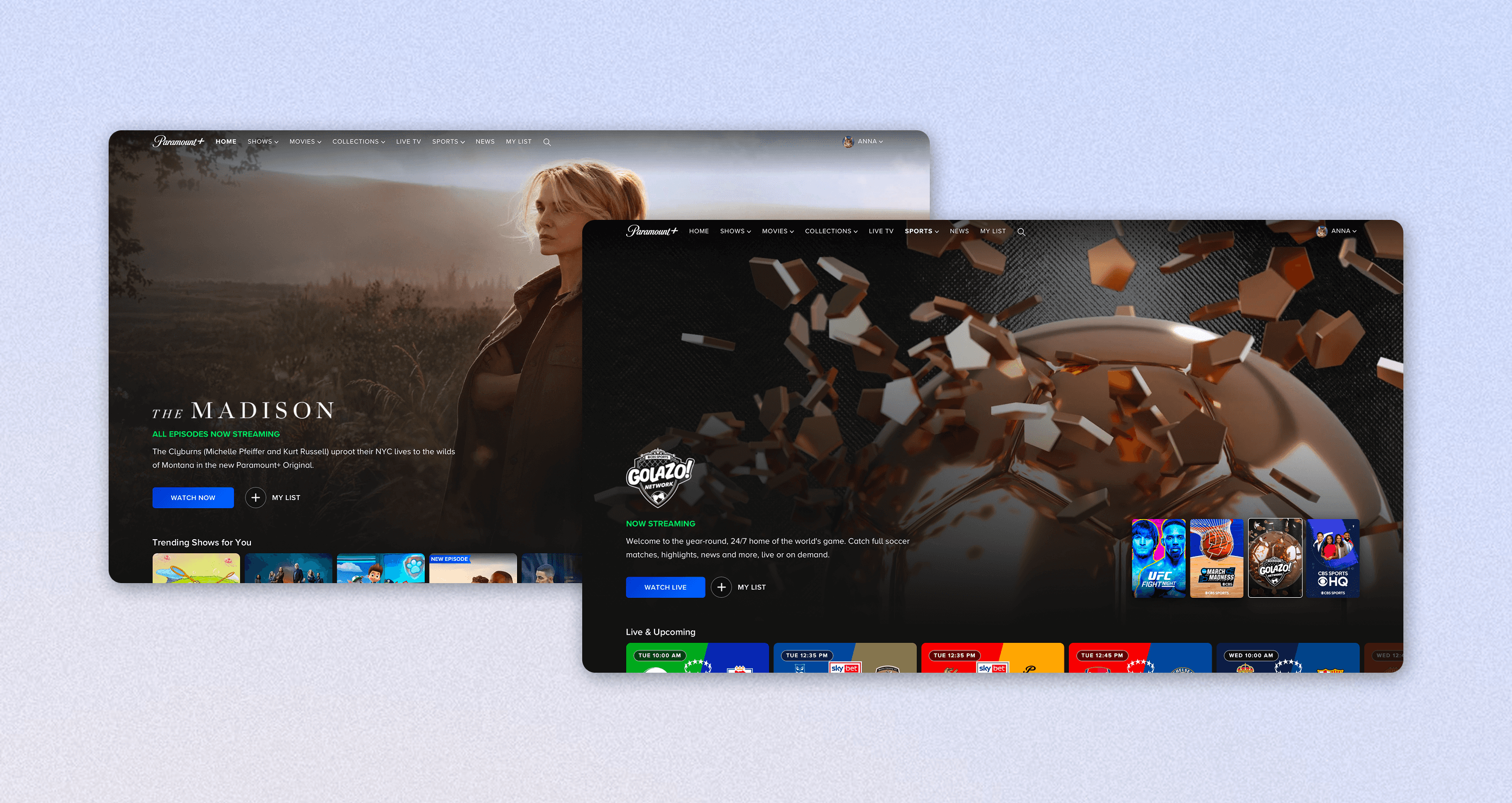
These areas of the app were a no-go.
Navigating cross-platform inputs
Delivering this feature across OTT, Web, and Mobile meant adapting the UX to fit the natural inputs and navigational models of each platform.
OTT Devices
OTT focuses heavily on 10-foot interactions, such as registering actions via the remote's D-pad and back button. This was probably the most constrained platform, from an interaction standpoint.
Web Devices
Web accommodates for cursor clicks, and has an advantage of utilizing the browser's native back button + our persistent global navigation bar.
Mobile Devices
Mobile prioritized a fluid touch interface, leaning into natural swiping gestures and thumb-friendly tap targets.
PROCESS
Early explorations
Concepts for OTT —
Early on, I explored concepts that showed the anti-spoiler modal above a visible background. One idea I explored was showing a pop-out drawer when the user selected a sports livestream — this was a component already in our design system, so it had the added benefit of reusing what already exists. However, we moved away from this approach as it worked best when it lived on the Homepage/Sports Pages, which our team didn't own on the development side.
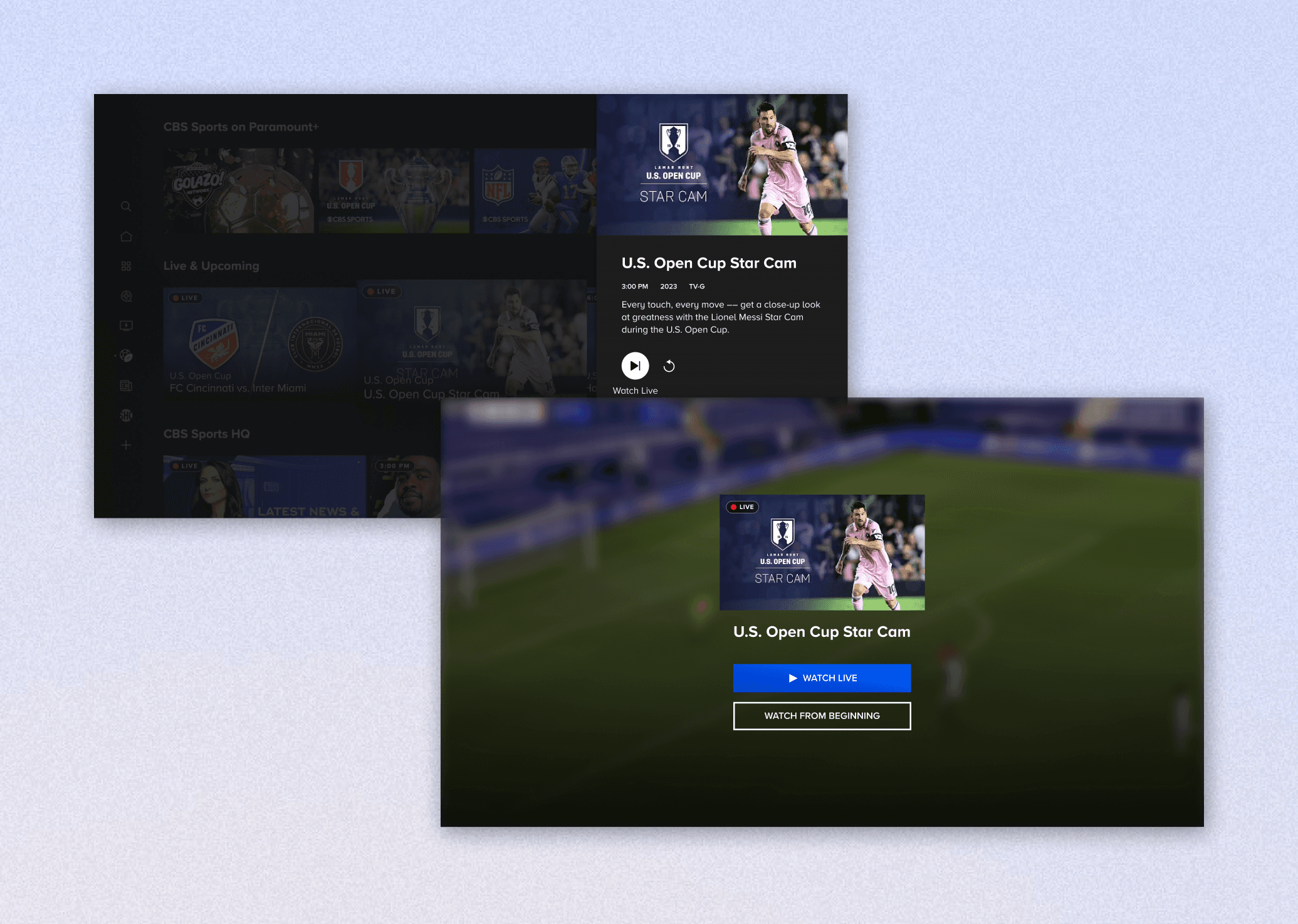
Earlier concepts made for OTT.
Concepts for Web —
Similarly to OTT, I explored early on how the Web interaction could look if the anti-spoiler overlay could look upon clicking on a thumbnail on Homepage. I also explored re-using modal components within our design system for web. Ultimately, we created a new web modal, due to the specific requirements and constraints of this feature.
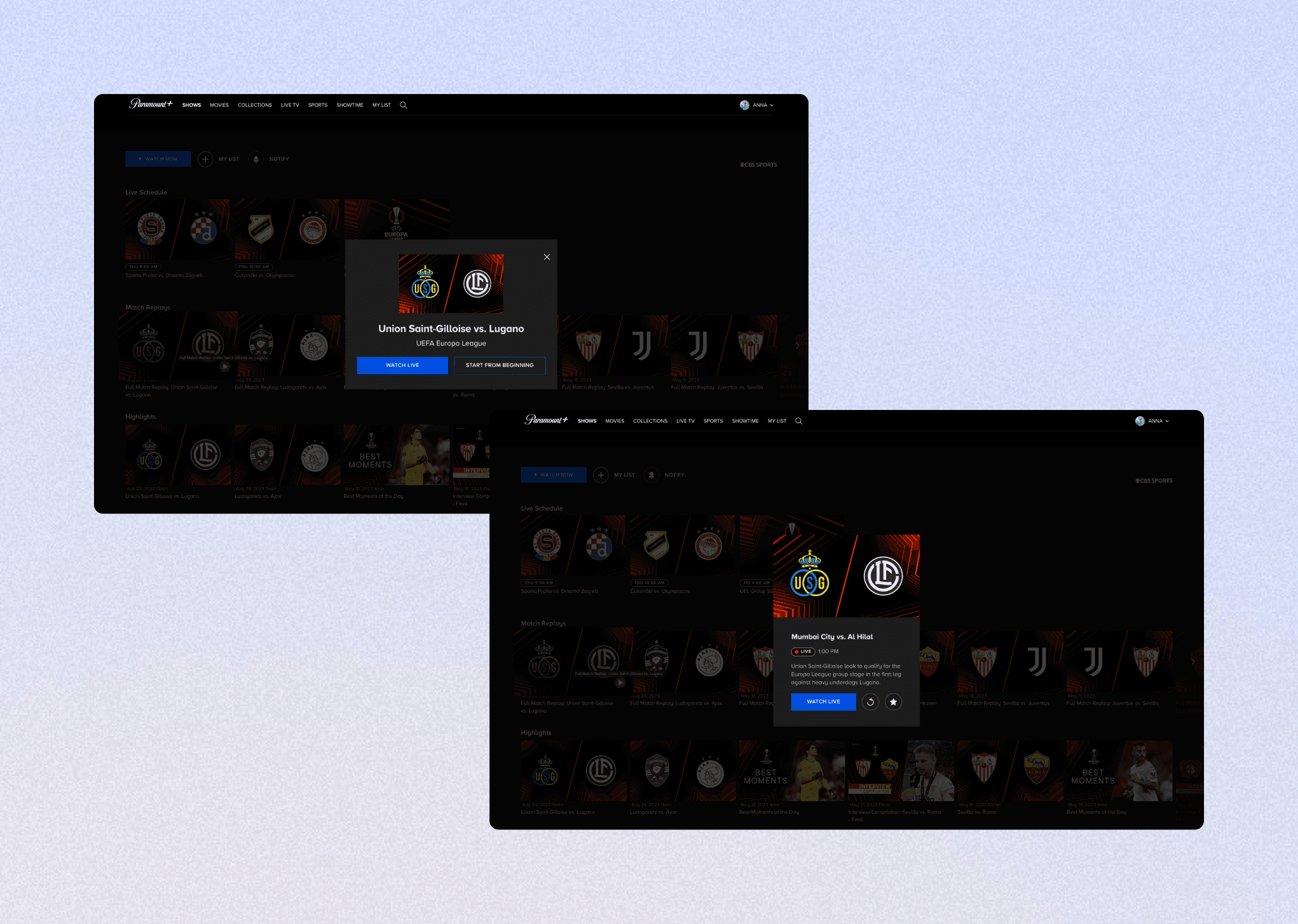
Earlier concepts made for Web.
Concepts for Mobile —
For Mobile, I explored an option of using native iOS and Android components (action sheets and bottom sheets) as-is, to reduce development effort. While faster to build, the native components felt barebones and lacked Paramount+ branding. Since the player is a high-visibility surface, brand presence was a must. I moved forward with bottom sheets that had a greater branding touch (color, font, components) incorporated into them.
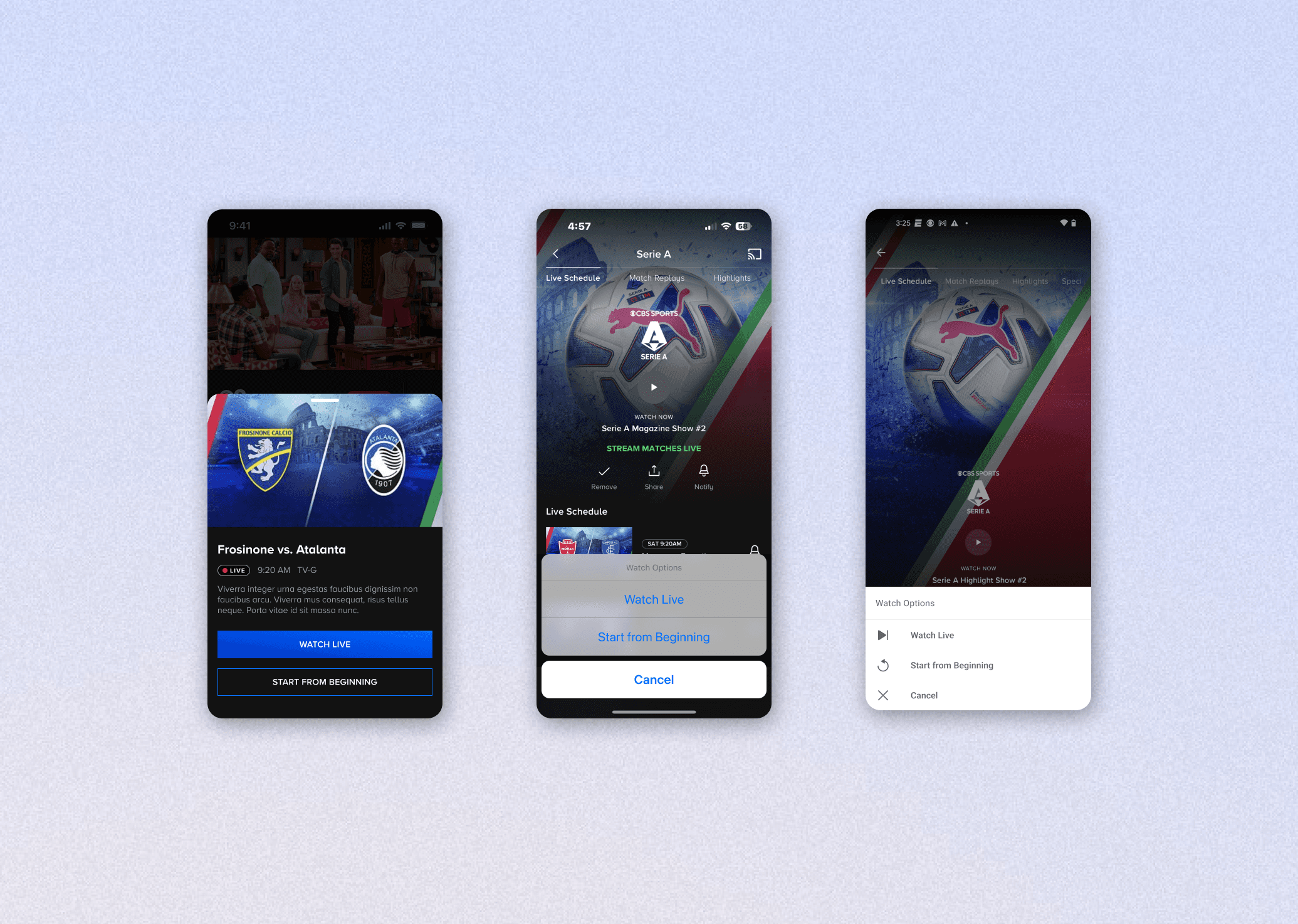
Earlier concepts made for Mobile.
IMPACT
Post-launch impact and viewership growth
The "Start from Beginning" anti-spoiler modal launched in time for Paramount+'s 2024 NFL streaming deal. It was quickly adopted by sports viewers, driving meaningful gains in engagement and watch time across the platform
+62%
Increase in weekly watch time
(Live Time Shifting users vs. those who didn't use it)
+53%
Increase in minutes watched year-over-year, outpacing ~25% subscriber growth
(from Sep 2023 to Feb 2025)
Reflection
What I learned and carried forward
On designing for all platforms
This feature spanned every platform Paramount+ supported: OTT (Roku, Smart TV, tvOS, Android TV), Web, and iOS/Android for both Mobile and Tablet. To manage that scope, I consulted with developers on each platform early to surface any technical constraints before designs reached handoff.
One lesson I took away: on iOS, I missed that bottom sheets render as floating center modals on iPad. The Apple developers had opted to use a native component, which behaves differently at tablet sizes, and I wasn't looped in on that decision. I was further confused because apps like Netflix and Reddit translate bottom sheets to tablet as-is, so I had assumed ours would too. It was a reminder to confirm early whether native or custom components will be used, since that directly affects how a design will render across device sizes.
On managing scope
As the sole designer on this feature, I started with TV designs, since it was the most constrained platform (using only the D-pad to navigate) and had the largest user base. That gave me a strong foundation to work from. Once the OTT direction was established, ideation across Web and Mobile happened in parallel. Starting with the most constrained platform first was a useful forcing function. It meant I was solving for the hardest interaction model upfront, which made adapting to platforms with richer input options feel more like expanding possibilities, rather than starting from scratch.