
PARAMOUNT+
2025
Promo Reels: Driving "My List" Saves
Promo Reels on Paramount+ compete with a “Skip” button that most viewers click on immediately. I redesigned the Promo experience to add an “Add to My List” button that surfaces essential metadata so viewers can confidently save a show before moving on. Validated through usability testing against the PM’s original direction, my solution turned a skippable interruption into an actionable discovery opportunity.
Role
Sr. Product Designer
Timeline
Aug - Sep 2025
(1 month)
Platforms
Smart TV, Web
INTRODUCTION
Why design for Promo Reels?
As of 2025, Paramount+ had over 77 million subscribers watching content across its streaming apps. Between when a user hits "Play" and when their content begins, Paramount+ runs short promotional trailers (called Promo Reels) that showcase new and featured content to both Free and Paid subscribers.
The opportunity
At the time, the only interaction available was a "Skip" button. The promo played, the user skipped it, and the moment was gone. Other streaming platforms were running similar pre-roll promotions, but none had tied them to a save-for-later action.
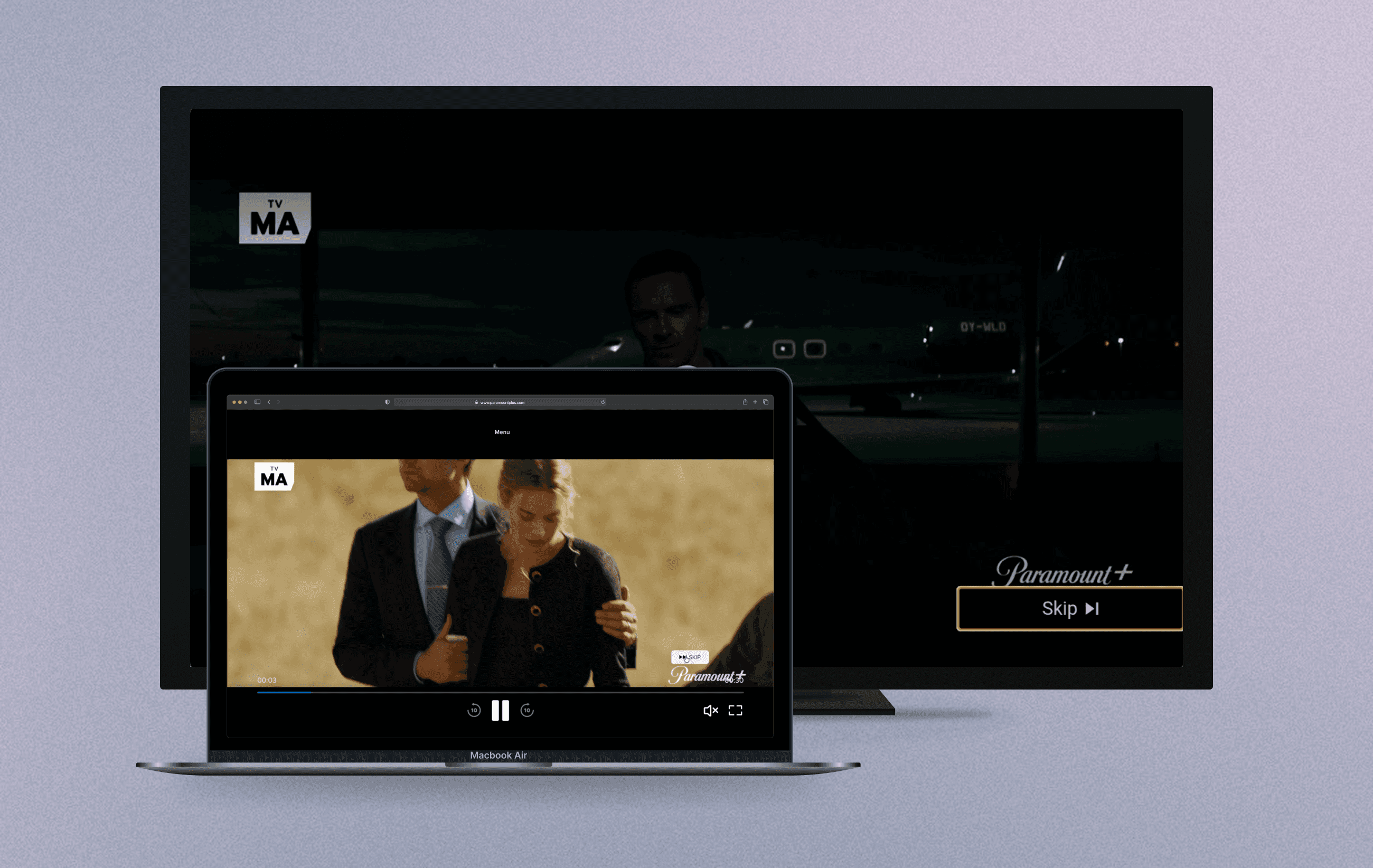
A Promo Reel playing before a viewer's selected content begins, on Roku and Web. "Skip" is the only available action.
PROBLEM
A button alone left too many questions unanswered
The brief
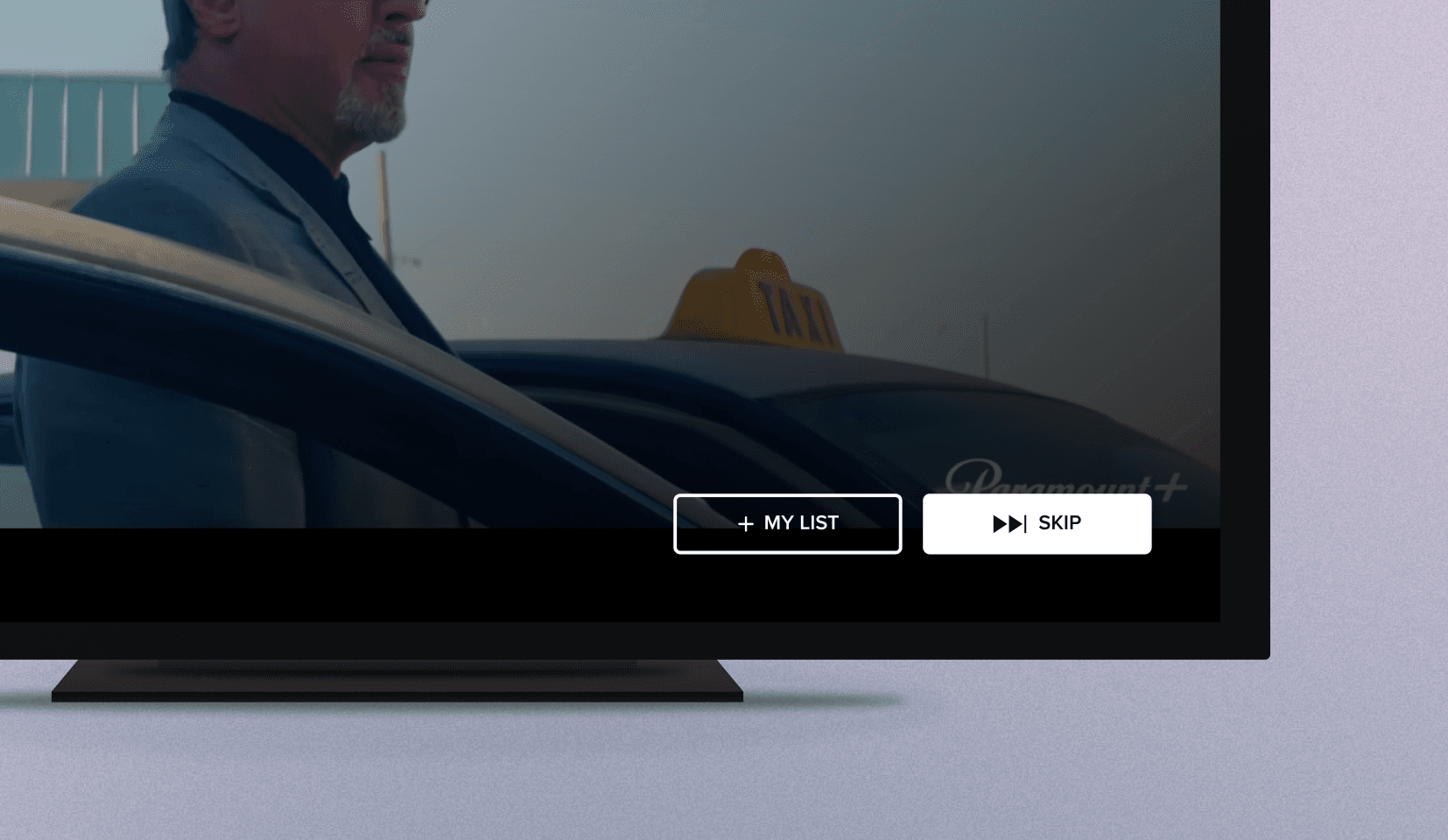
The initial direction was straightforward: Add a "+ My List" button alongside the existing "Skip" button.
My concerns
The button existed…but it didn't answer the question a viewer would naturally ask in that moment: what exactly am I saving? Am I saving the trailer, or the show itself?
Lack of contextual clues.
Without UI-level context like even a show logo, users could hesitate or misunderstand the action entirely.
Lack of visual prominence.
The "+ My List" button would render with our secondary button style, which is visually quieter than the default-focused Skip button.
SOLUTION
Providing context at a key moment
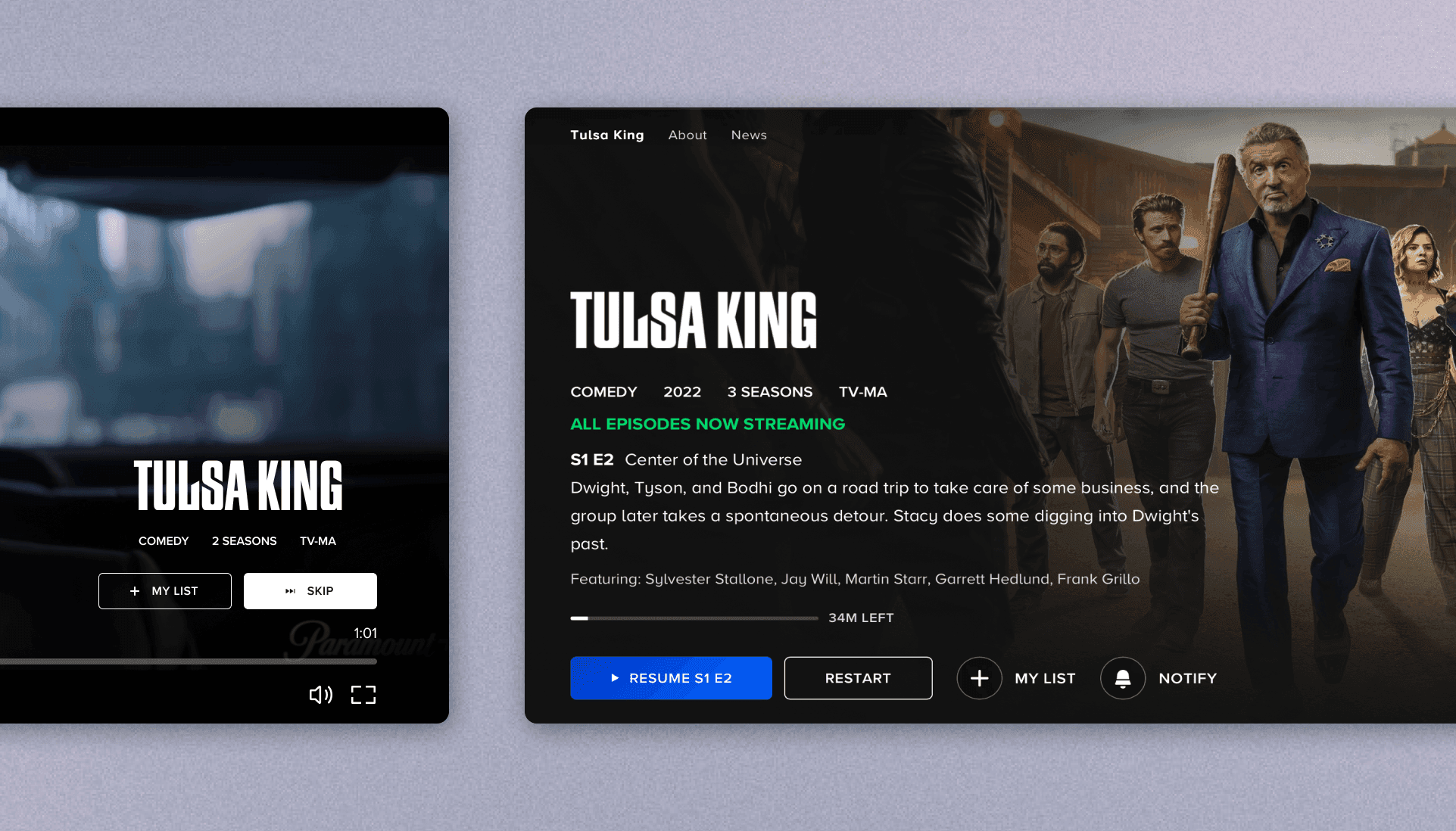
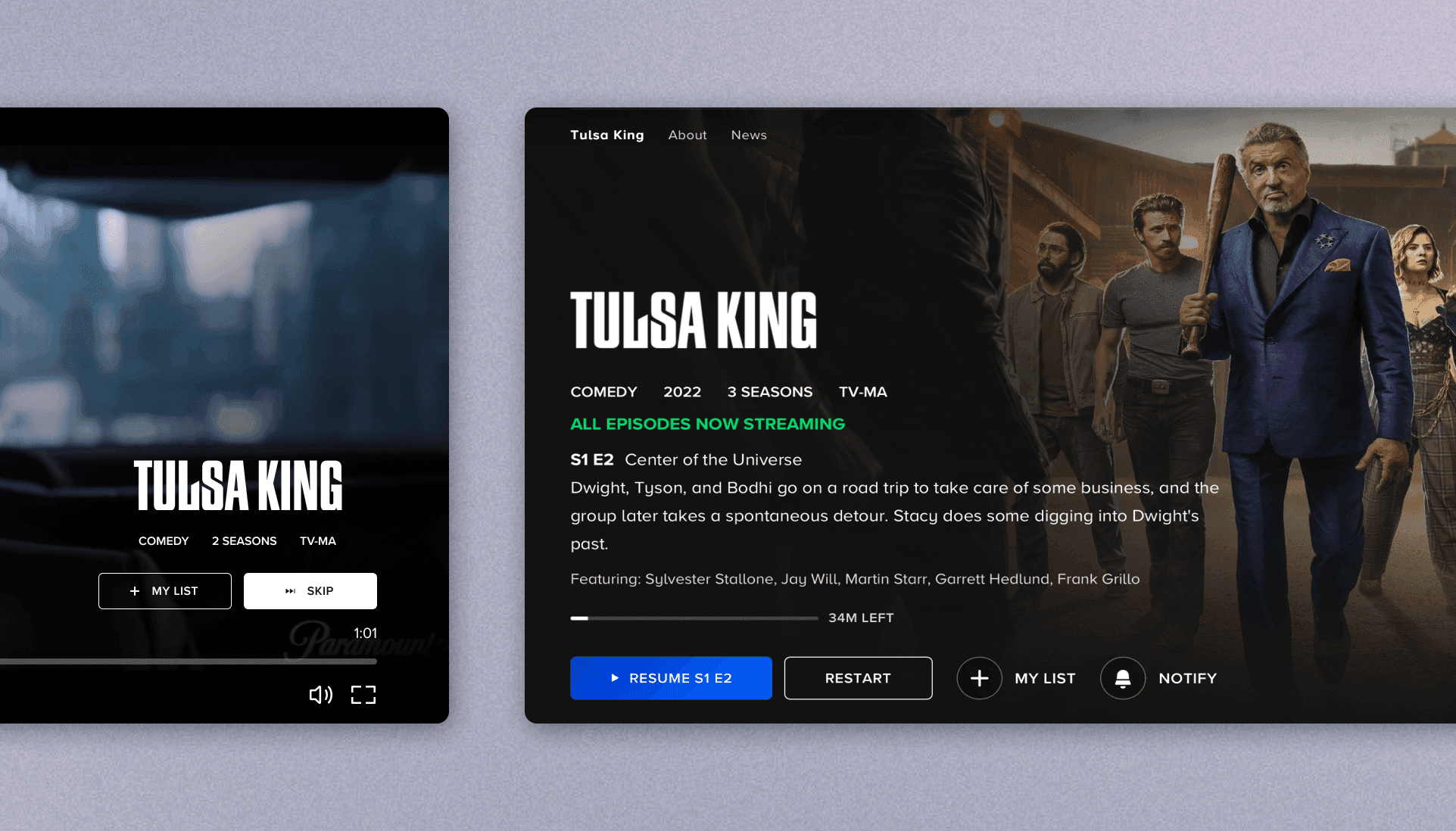
I designed a contextual overlay that surfaces the show's logo, genre, season count or runtime, and content rating directly above the "+ My List" and "Skip" buttons. An entrance animation draws the eye toward the CTA area as the overlay appears.
Final experience shipped for TV.
Final experience shipped for Web.
Animation to draw the eye
An entrance animation draws the eye toward the CTA area as the overlay appears.
The rationale
The metadata mirrors what users already scan when viewing a show/movie's details page, giving viewers everything they need to make a confident save decision without leaving the video player.
CHALLENGE
Unblocking the project
Problem
Originally, this feature was assigned for all platforms (TV, Web, Mobile). There were two major roadblocks in our way.
The third-party SDK that rendered the "Skip" button on TV & Mobile devices offered no way for us to customize the styling. This meant that we were stuck with an awkward button that didn't match the buttons in our design system.
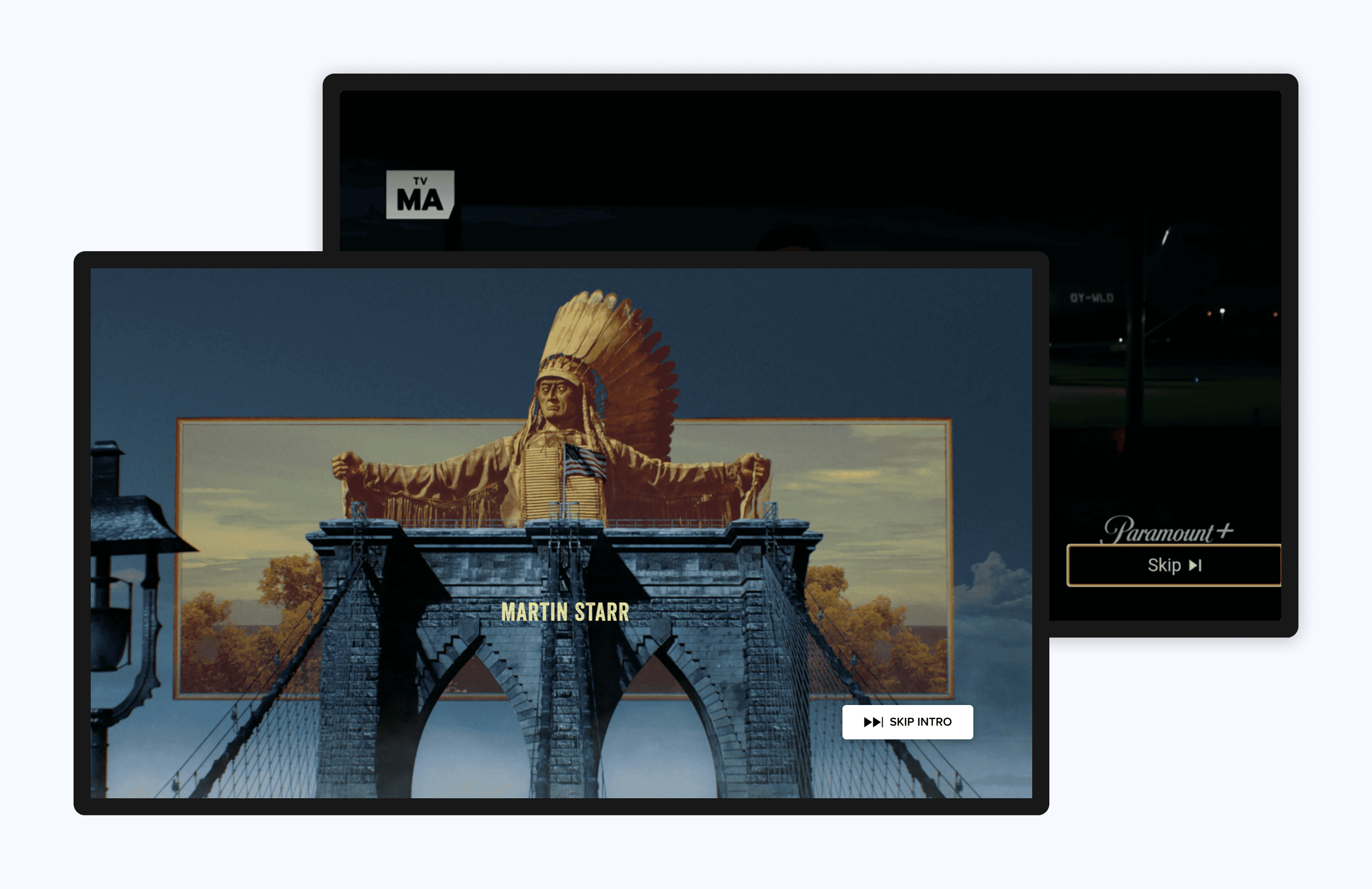
Image in the back shows how the Skip button was being styled by the SDK, while the front image shows how our VDS buttons are usually styled for the "Skip" button.
The limitation extended further: our internal SDK manager told us we wouldn't even be able to add another button to the Promos UI. I dove into the SDK vendor's documentation myself to see if there was a customization route possible. As it turns out, publishers could render their own custom skip UI, as long as it met the vendor's design requirements. That was the opening we needed.
I presented this vendor documentation to both the SDK manager and Product, advocating the need to open discussions with the SDK vendor. Product agreed, and they placed the feature on pause.
Rescoping the feature
While vendor talks were underway, the feature was rescoped to Smart TV and Web, where we had full control of the Promos screens without third party constraints.
Moving forward
Without the research into the documentation, this feature could have been at a standstill and further delayed the handoff deadline. However, with the feature re-scoped to Smart TV and Web, we were able to keep moving forward with an alternative route.
PROCESS
Proposing an alternative design
My proposal
Earlier, I mentioned how the original design raised some questions from my perspective. I mocked up an idea that proposed surfacing the show's logo and extra metadata directly above the buttons. These are the same signals users rely on when browsing Paramount+'s content library — so pulling them into the promo reel could give viewers enough context to act confidently.
The pushback
I received pushback that this design caused too much vertical height, so I scaled back my design. I landed on a simplified Variant B that kept the show logo, but removed the metadata.
I moved to testing that version, but built a targeted follow-up section near the end of the test to find out whether users would actually find the metadata useful.
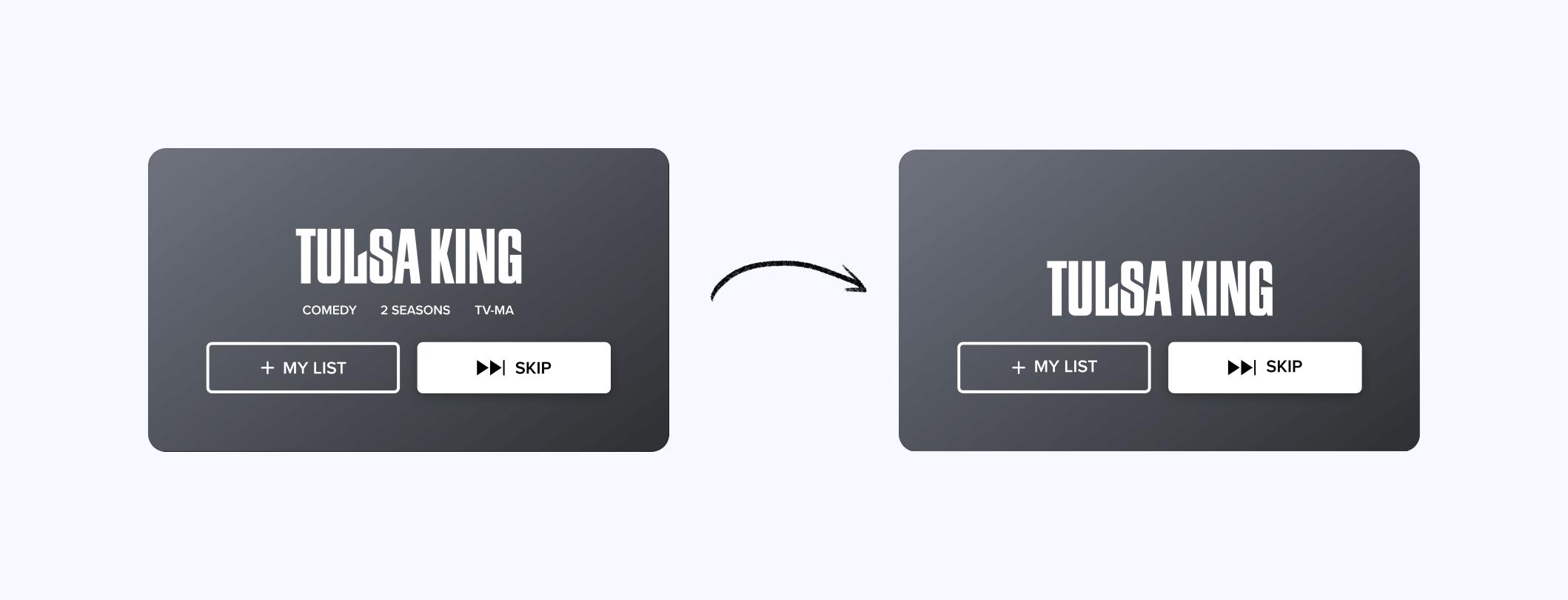
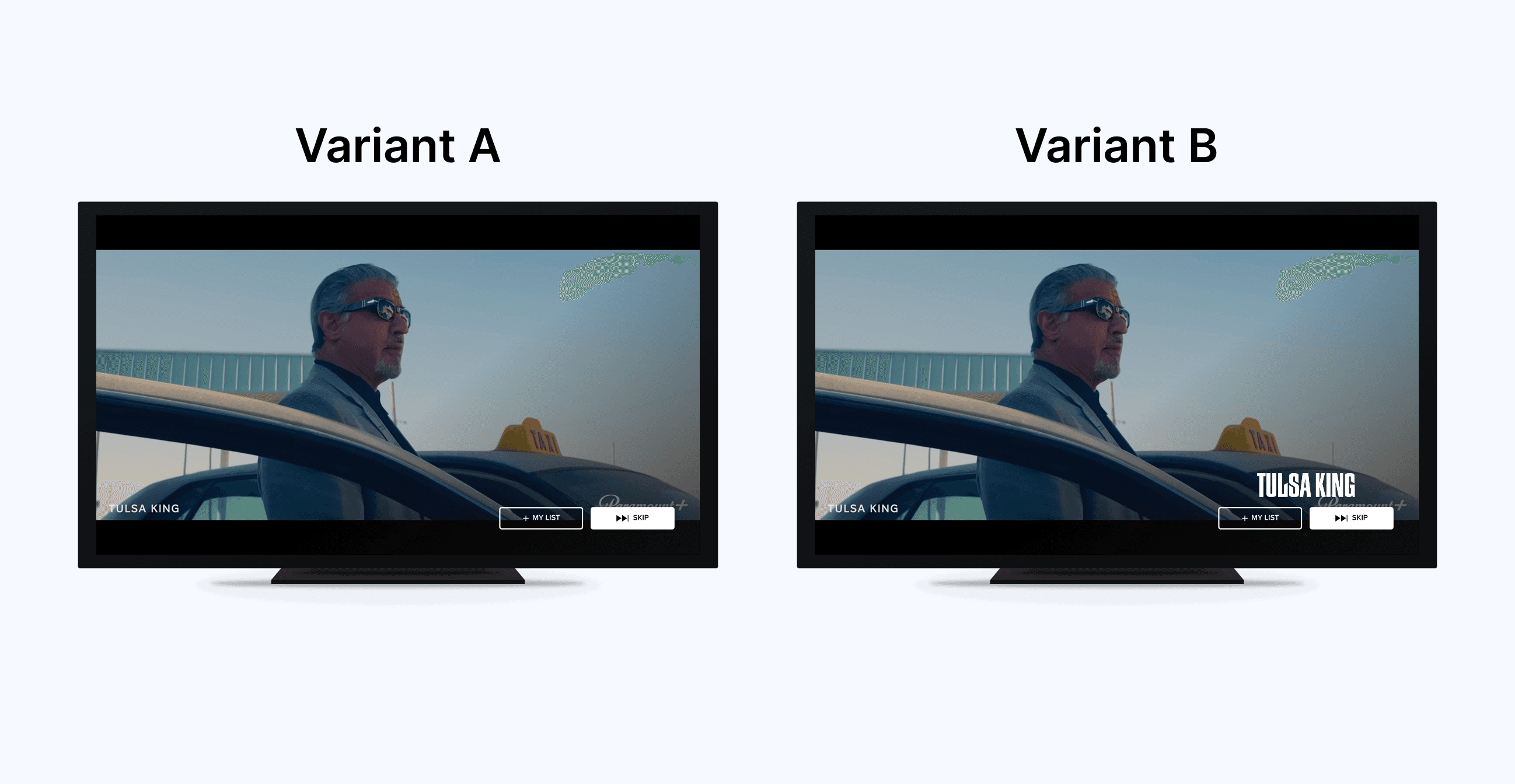
Variant A
This design matched the original brief: a "+ My List" button added to the existing promo UI with minimal layout changes. The show title was already baked into the trailer video, appearing in small text at the lower left. Both CTAs sat side-by-side at the lower right.
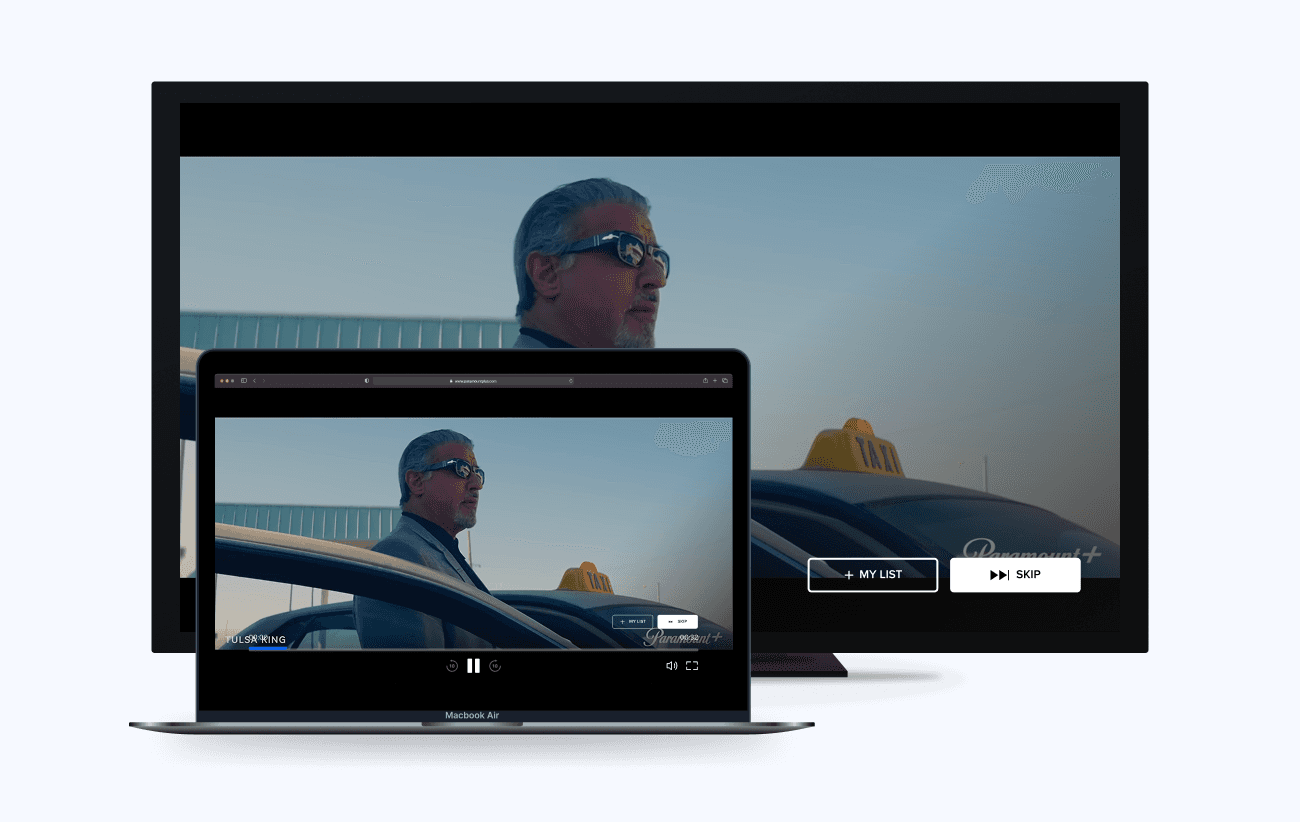
Prototype experience for Variant A shown to Maze participants. Mockup mimics the TV experience.
Variant B
My counter-proposal: the show logo surfaced above the buttons. Cleaner than my original pitch, but with an open question about whether the metadata can serve to be helpful.
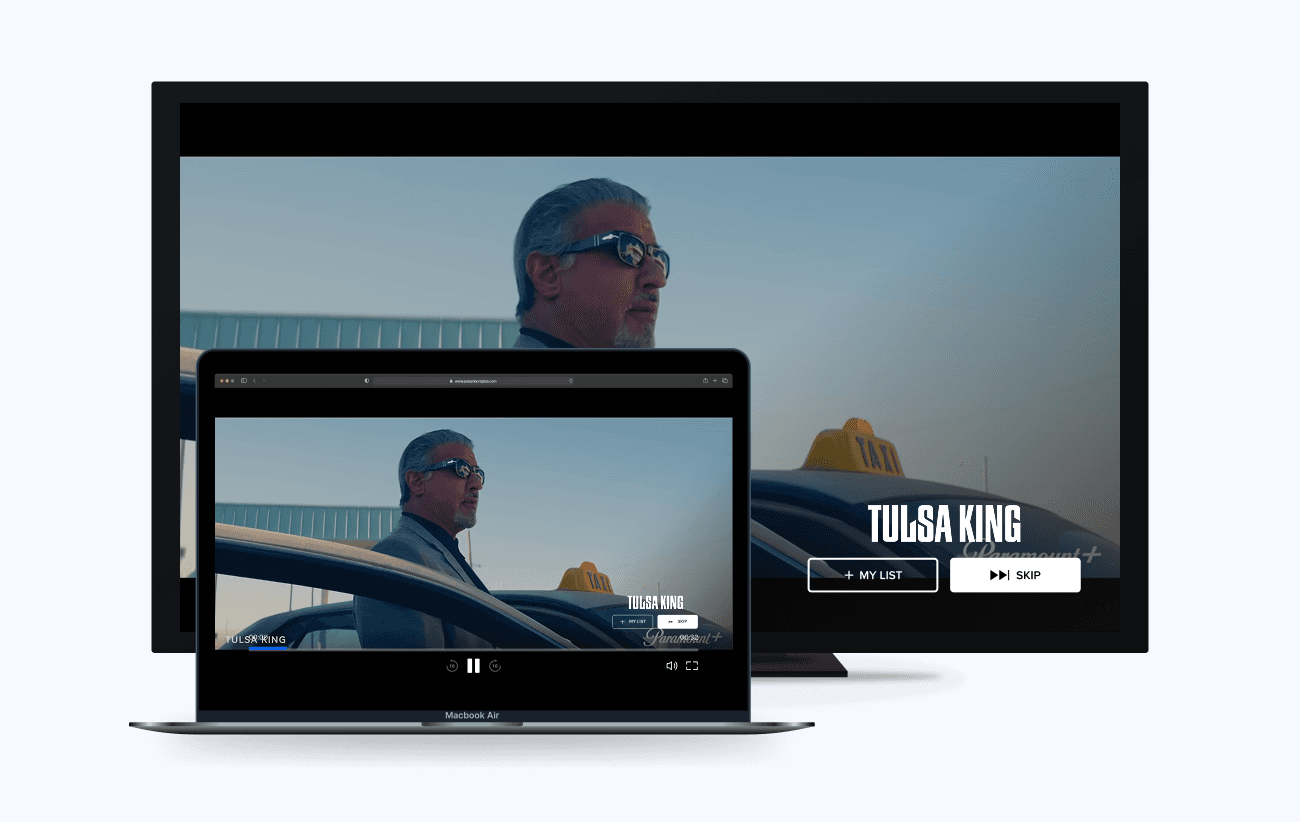
Prototype experience for Variant B shown to Maze participants. Mockup mimics the TV experience.
RESEARCH
Usability test results
Methodology
I designed and ran an unmoderated usability test in Maze with 10 participants split into two counterbalanced groups (Variant A→Variant B and Variant B→Variant A) to reduce order bias.
At the end of the test, I included a separate section showing a version of Variant B with the extra metadata, and asked participants directly whether the additional metadata details had any effect on their interest level in the promo.
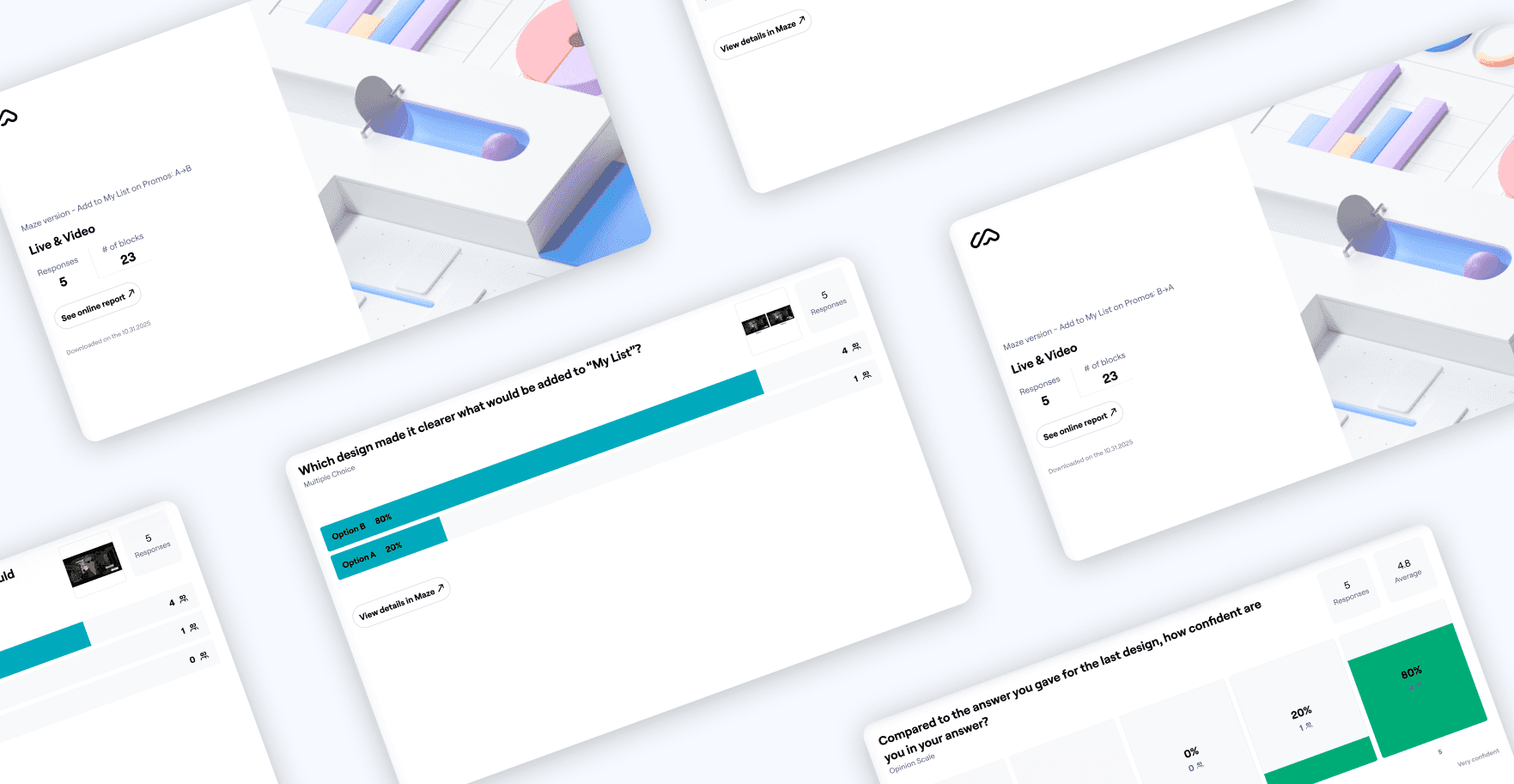
Maze generates result decks, making it easy for designers to quickly present results to the team.
Confidence
When asked about the version of Variant B with extra metadata, 70% of participants said genre, number of seasons, and TV rating made it clearer what would be added to their list.
Preference
9 out of 10 participants selected Variant B over Variant A, when asked which design made it clearer what the "+ My List" button would do.
The outcome
I brought the metadata findings back to Product as supporting evidence. The version with the show logo, genre, season count/runtime, and content rating was incorporated as a new variant in the final A/B test plan.
OUTCOME
Quick testing helped us move forward
Alignment
Before running the usability test, the team was at a standstill on direction. The Maze results helped give everyone a shared, evidence-based framework, which was used to end a debate.
Handoff
Both variants moved into A/B testing against the Skip-only control, where we would track any statistically significant increases in "My List" adds.
I delivered fully spec'd designs for both variants, including interaction animations and detailed handoff documentation covering user flows, redlines, and assets.
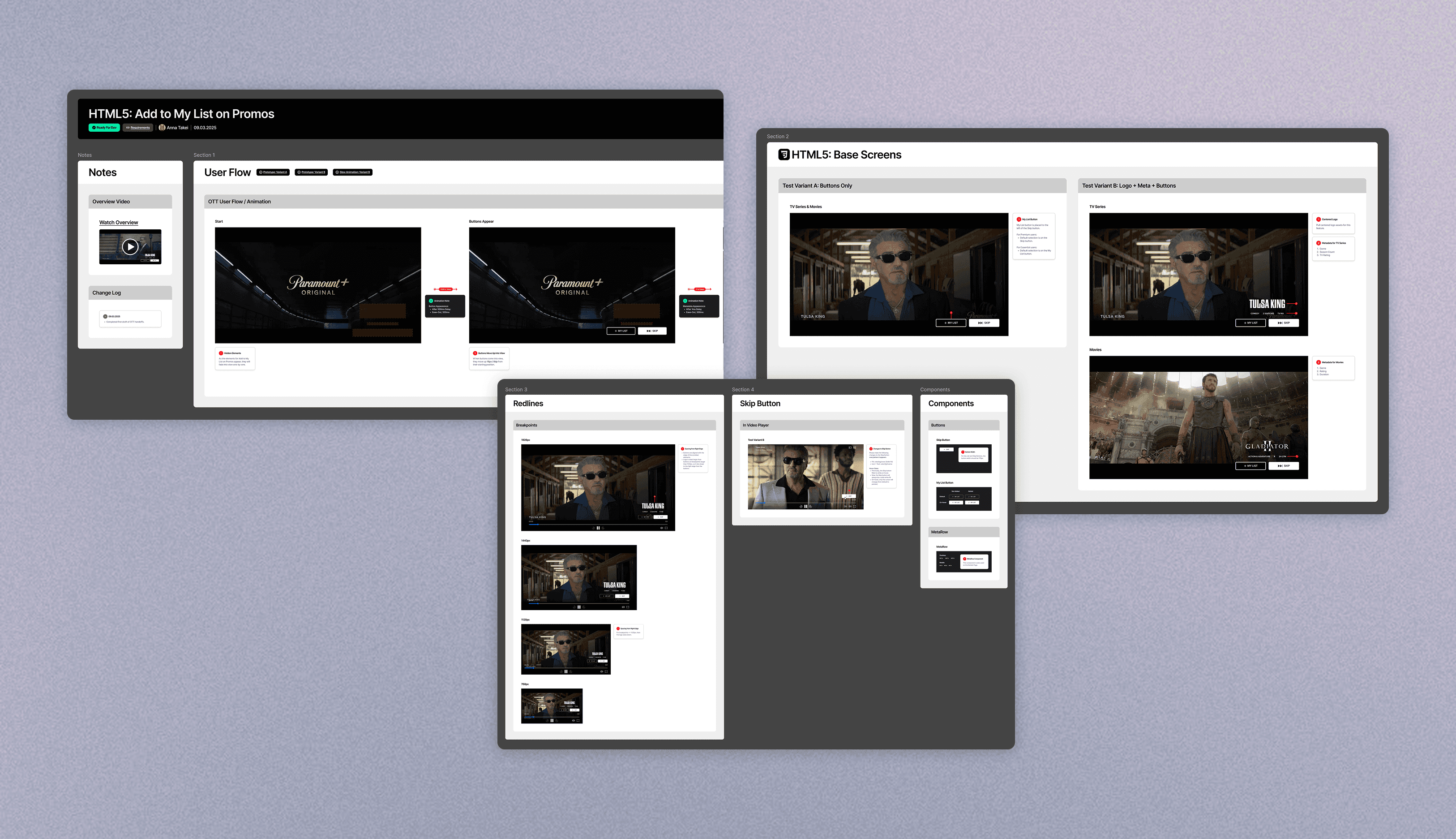
Snippets of how I structured my handoffs for Smart TV and Desktop Web.
REFLECTION
Final takeaways
On research
My Video Player Redesign work taught me the value of involving research earlier. This project was where I put that lesson to work. When the team was stuck between two directions, I decided to go ahead and design the test, recruit participants, and run it myself.
On self-initiative
Being a designer on a cross-functional team sometimes means doing work that isn't strictly design. The requirement didn't ask me to dig through SDK documentation, but the project had been stalled and I believe it's also part of my job to keep pushing a feature forward.