Redesigning the Video Player Experience on Paramount+
🚚 SHIPPED
🟢 LIVE IN APP
At Paramount+, I owned the end-to-end redesign of the TV video player, setting the interaction model now used across both VOD and Live playback. Serving as the sole designer for this project, I partnered with my PM and TV developer leads to drive the project from discovery to delivery across our entire TV ecosystem. Spanning Roku, Android TV, Smart TV, and tvOS, it became one of Paramount+'s largest design overhauls since its launch in 2021.
My Role
Product Designer
Timeline
Oct 2022 - June 2023
Platforms
CONTEXT
A video player inherited from a legacy app
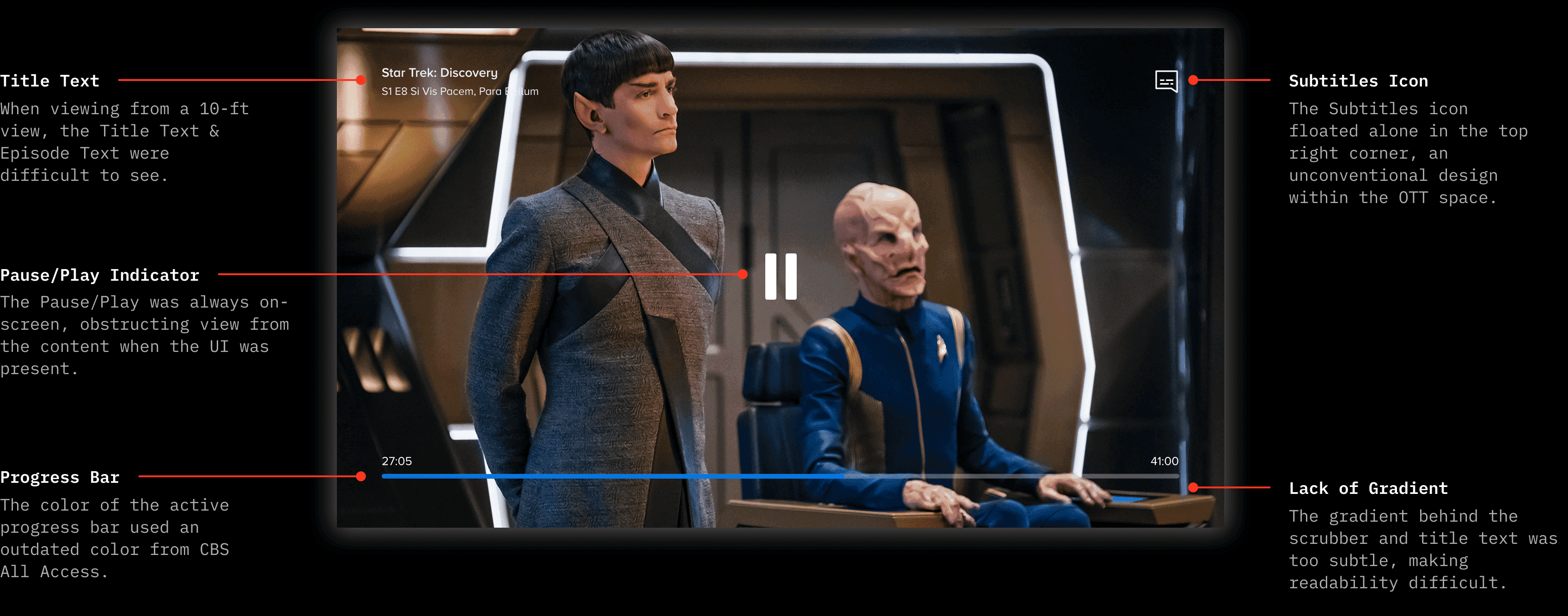
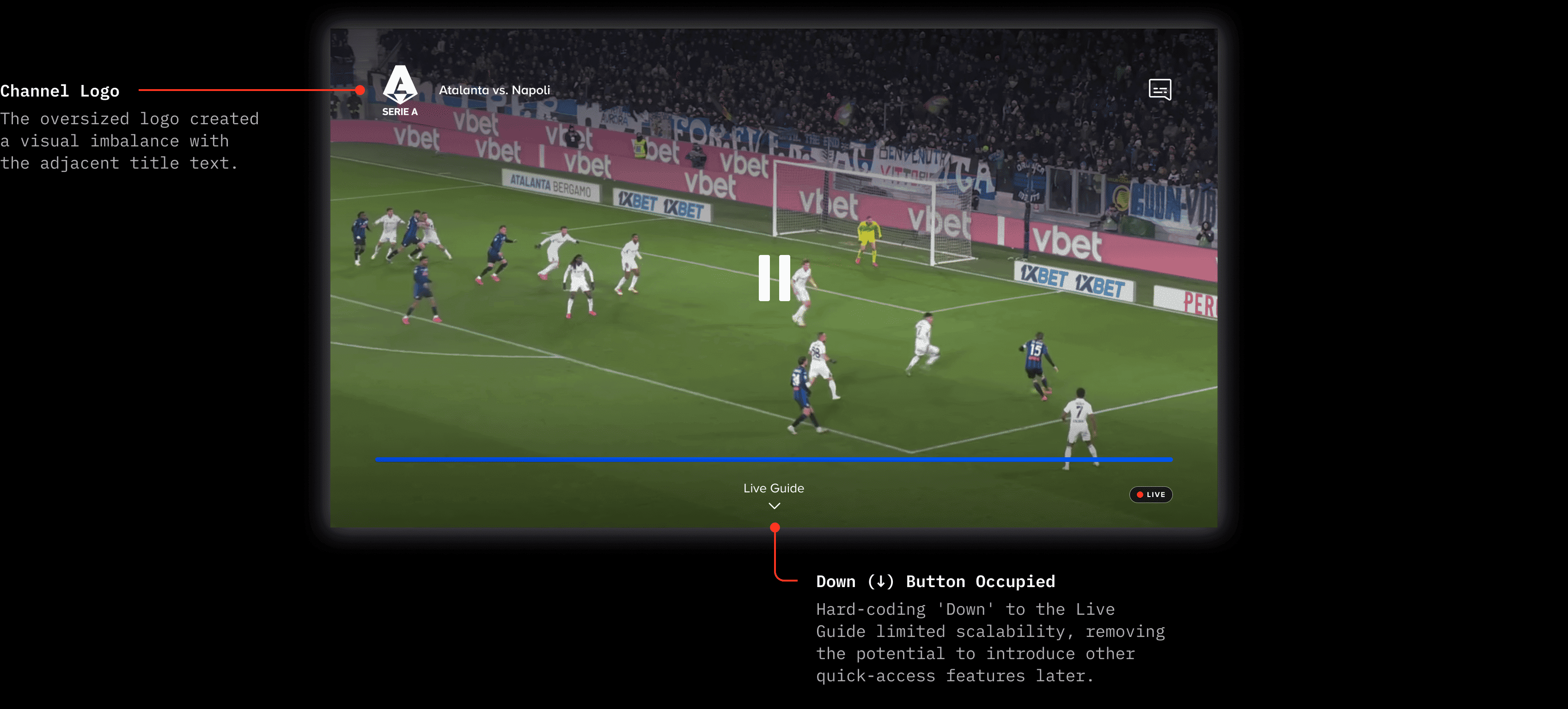
By 2022, Paramount+ had emerged as a serious competitor in the streaming landscape, but the TV player still relied on patterns inherited from CBS All Access, Paramount+'s predecessor. The VOD and Live players differed in design and had two separate codebases, causing an inconsistent user experience and compounding technical debt.
VOD Video Player (Before Redesign)
Live TV Video Player (Before Redesign)
PROBLEM
The design challenge
Leadership identified two priorities for the video player on TV:
Unify the VOD and Live viewing experiences into a single, reusable player template
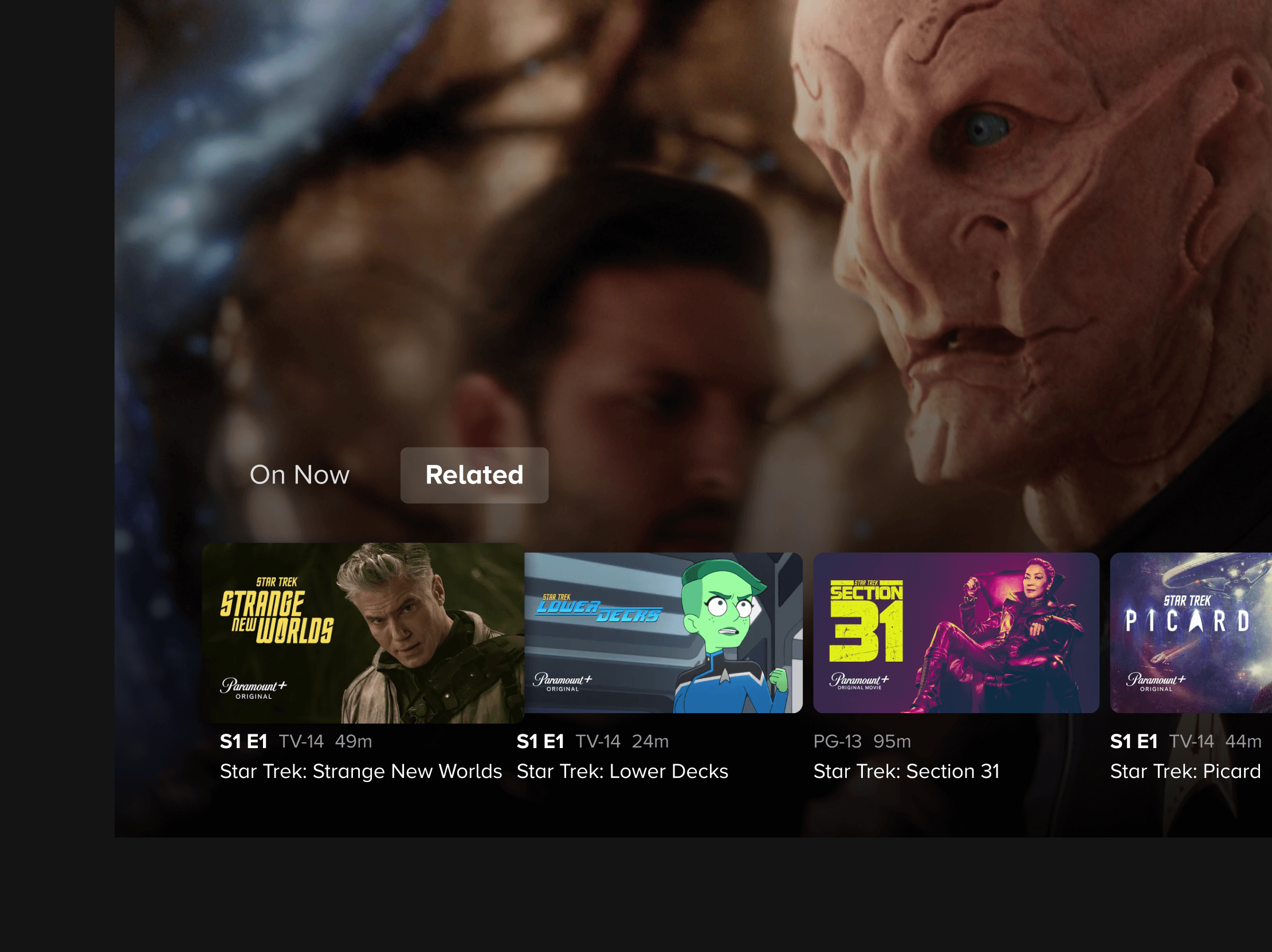
Transform the player from a passive playback surface into a content discovery tool
My job was to find a navigation model that could serve both VOD and Live contexts, while also accommodating the distinct needs of each (like live sporting events) and introducing content discovery, without disrupting the core viewing experience.
APPROACH
Finding the right navigation model
With unification as a leadership priority, I started by auditing the existing VOD and Live players across Roku, Android TV, Smart TV, and tvOS, documenting where interactions and layouts diverged.
Unification meant different things per platform. Roku, Fire TV, and Smart TV required a custom player design. For tvOS, we were already using Apple's native player, so I had to work directly with an Apple engineer to integrate our feature requirements into that existing framework.
From there, I explored multiple navigation models, sketching different ways to consolidate controls while maintaining space to surface discovery content. I would bring the strongest directions into alignment sessions with Product every week.
Wireframe Explorations
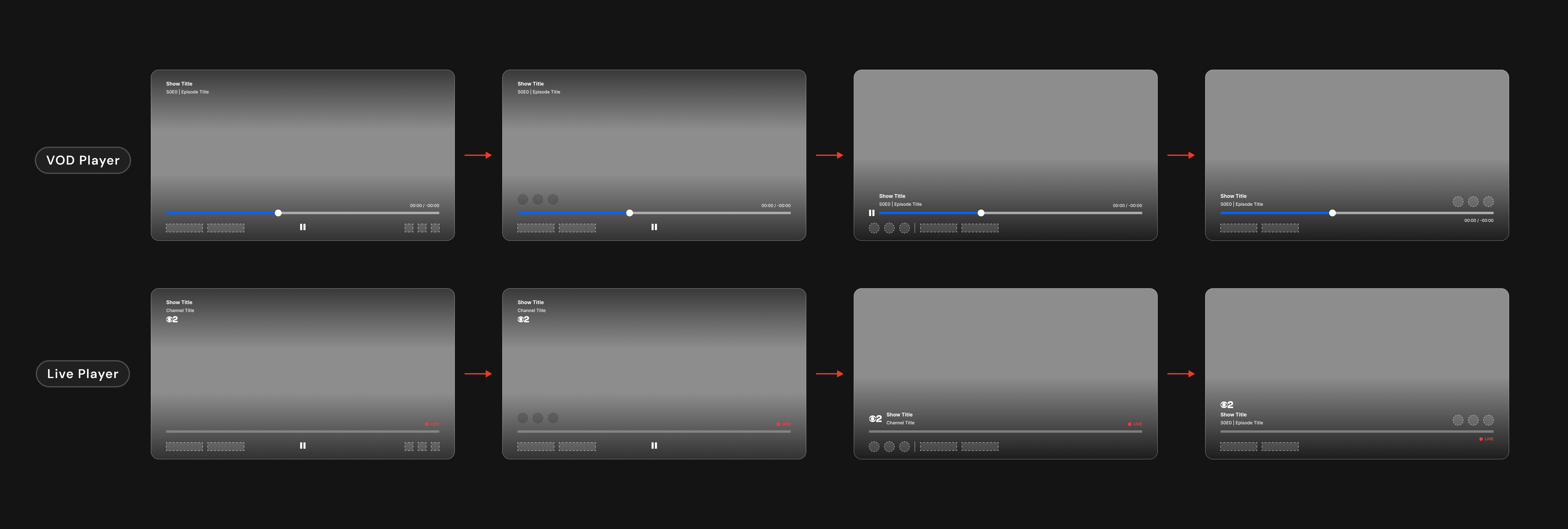
Early explorations testing player control placement, scalability across VOD and Live players.
SOLUTION
A unified player platform, built for discovery
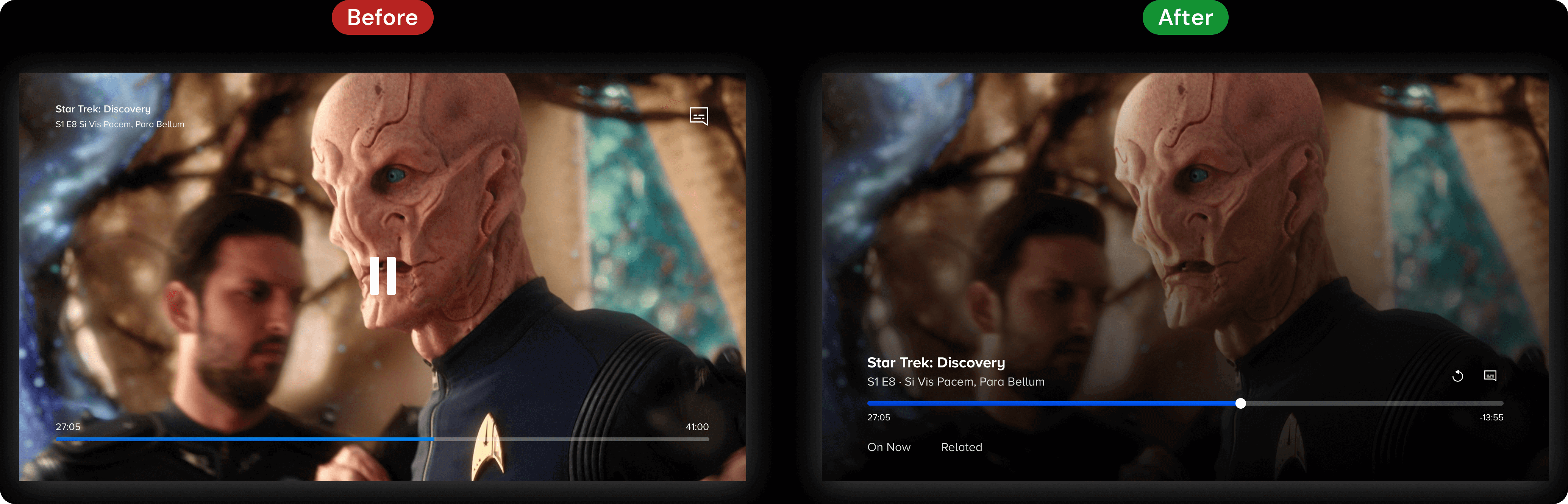
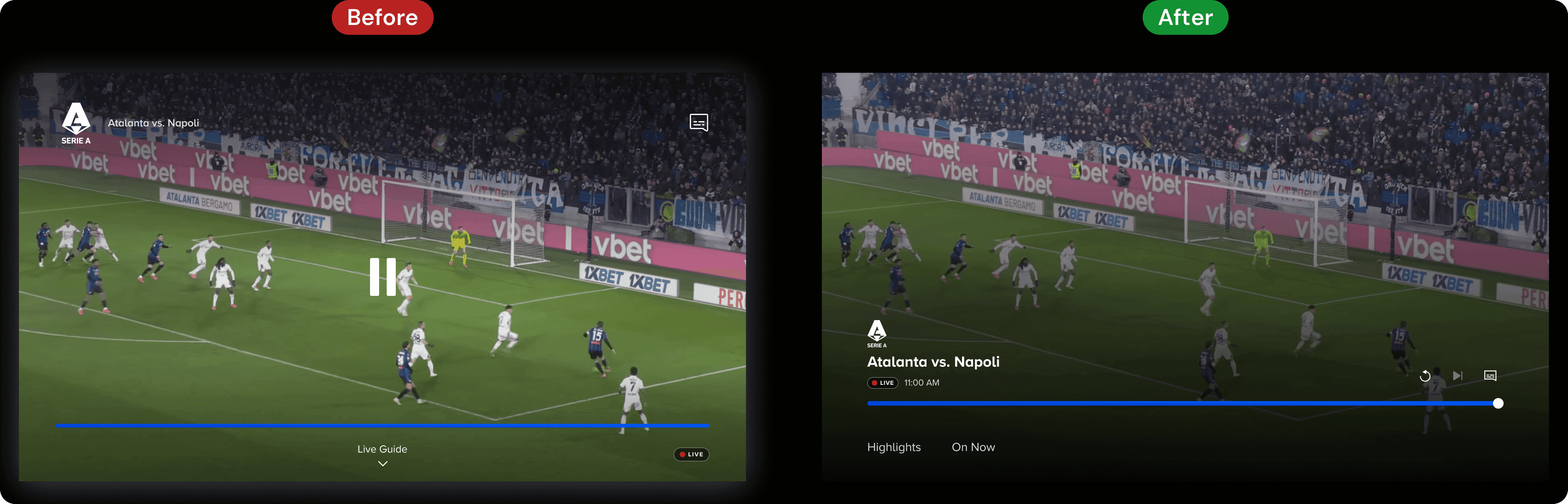
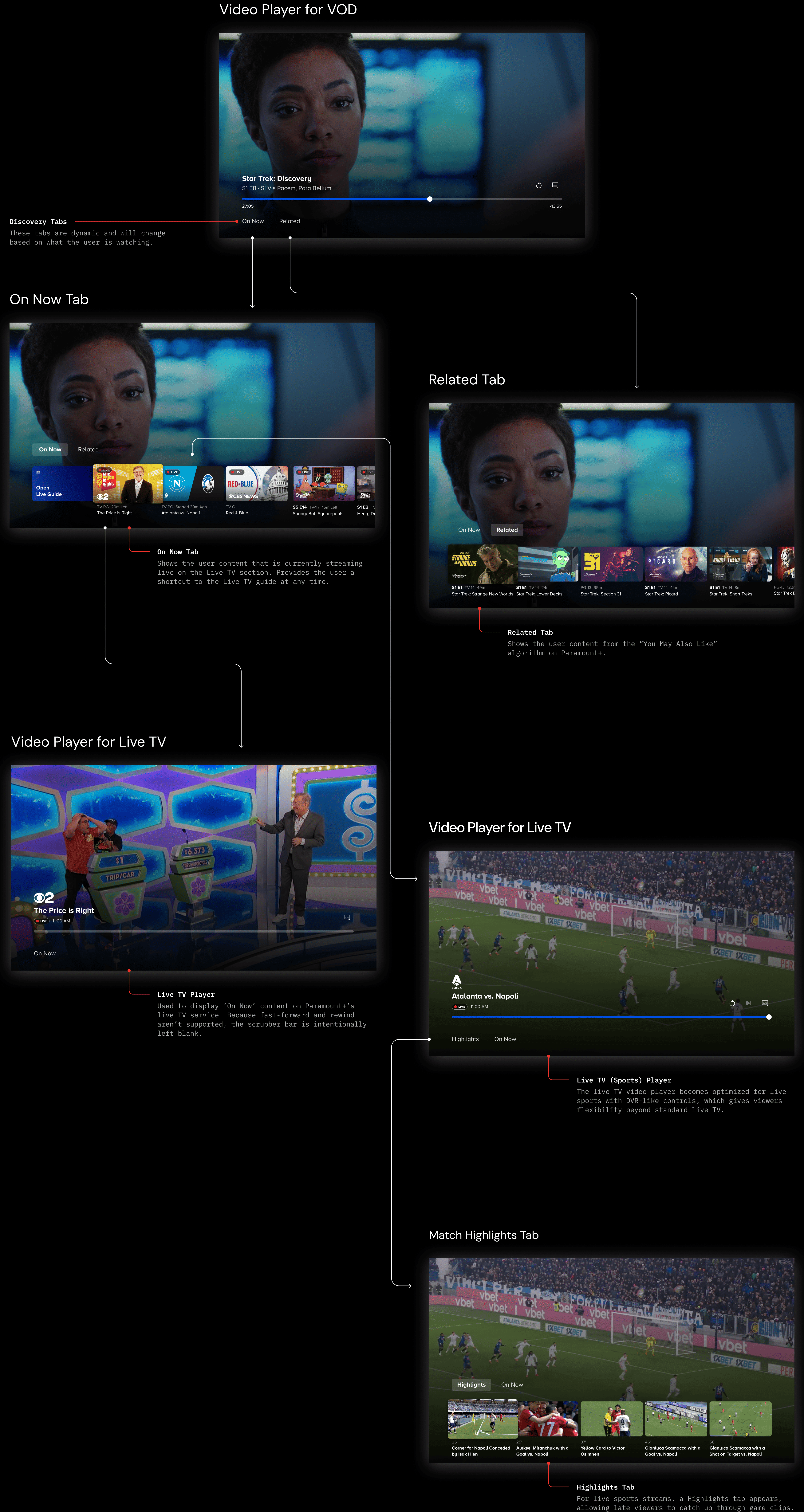
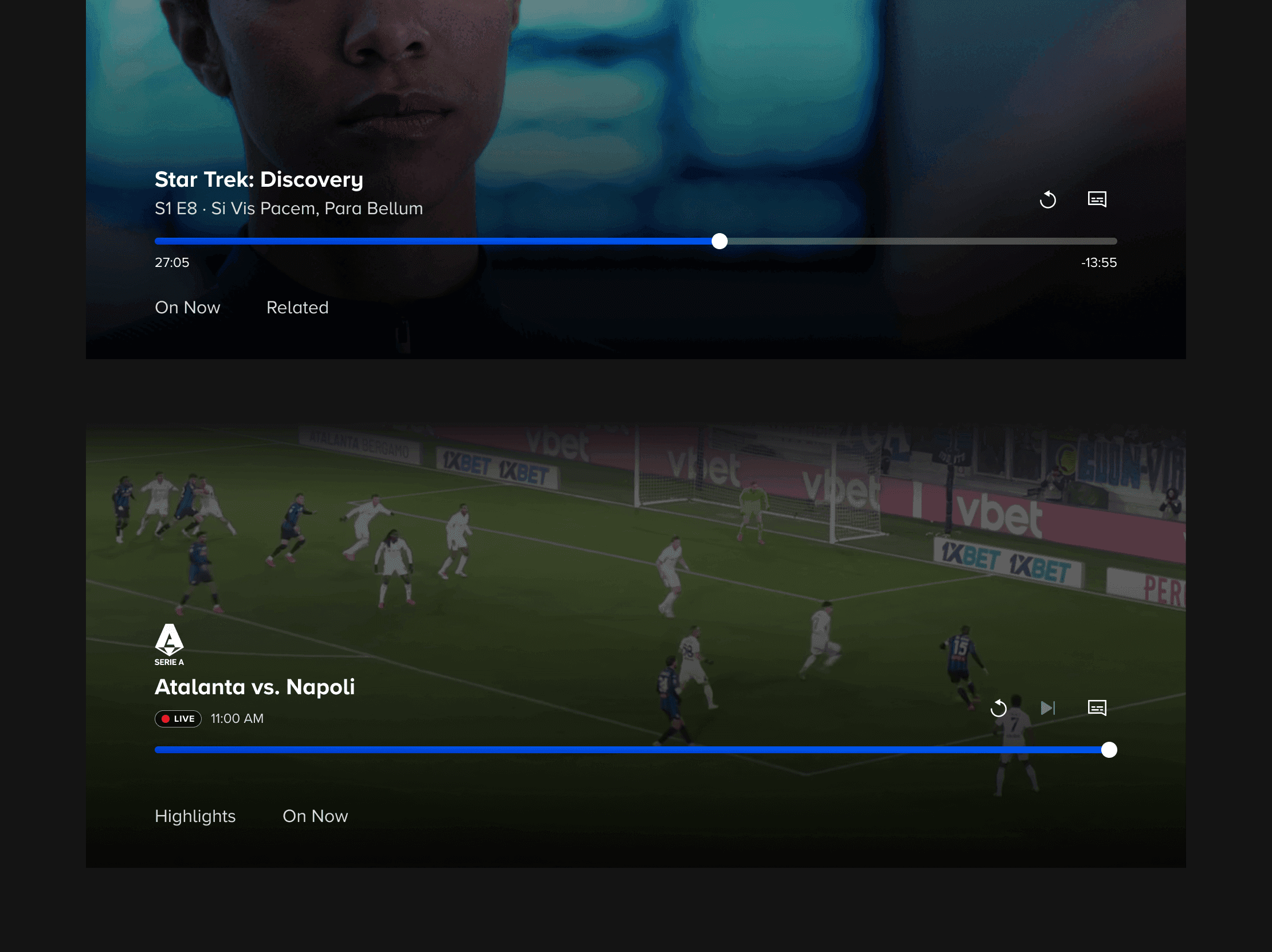
The new TV video player unifies VOD and Live playback under a single interaction model, while continuing to accommodate the slight variations needed for specific, limited-time Live events.
VOD Video Player
Live TV Video Player
PROCESS
Designing navigation for a 10-ft UI
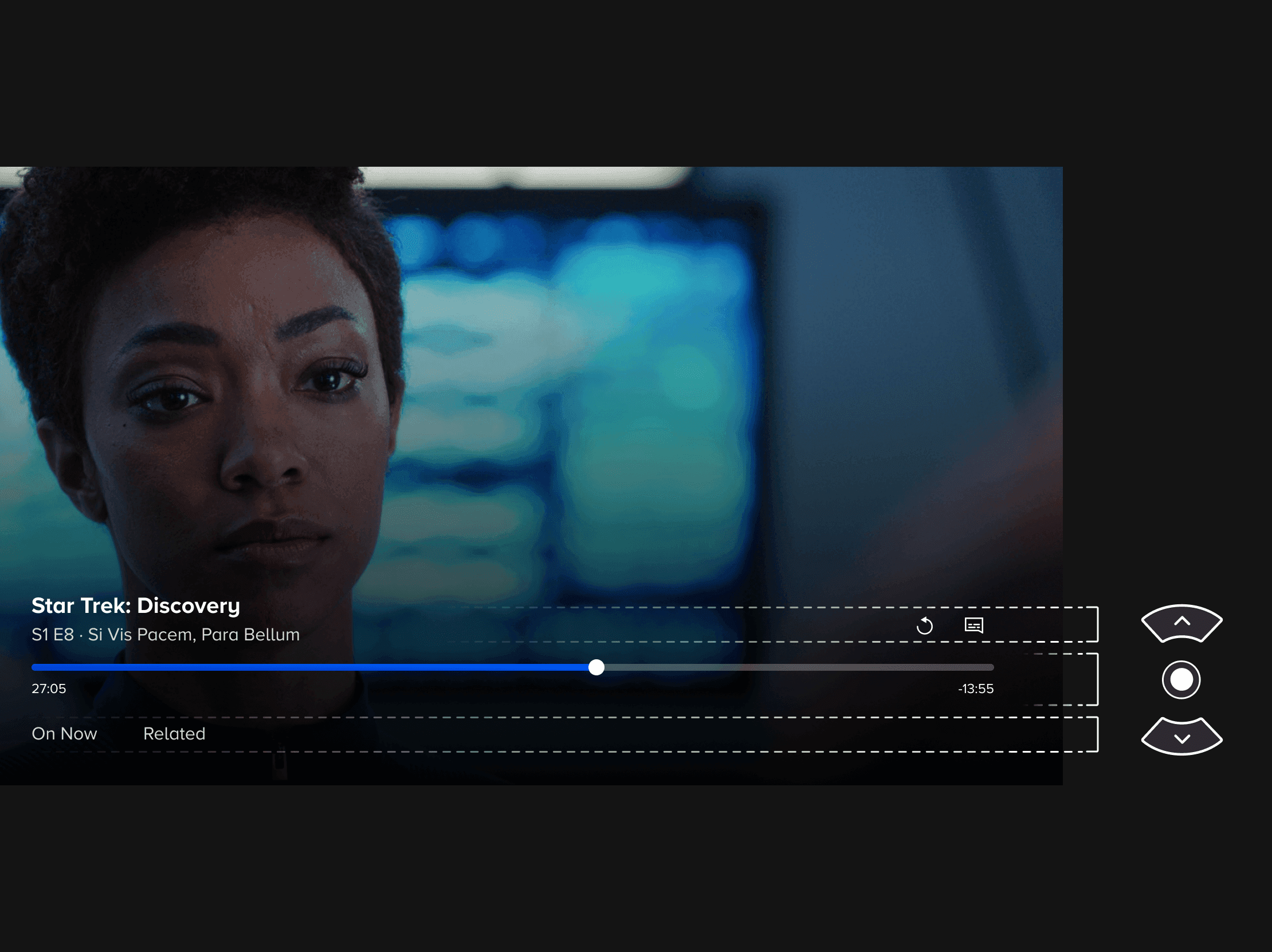
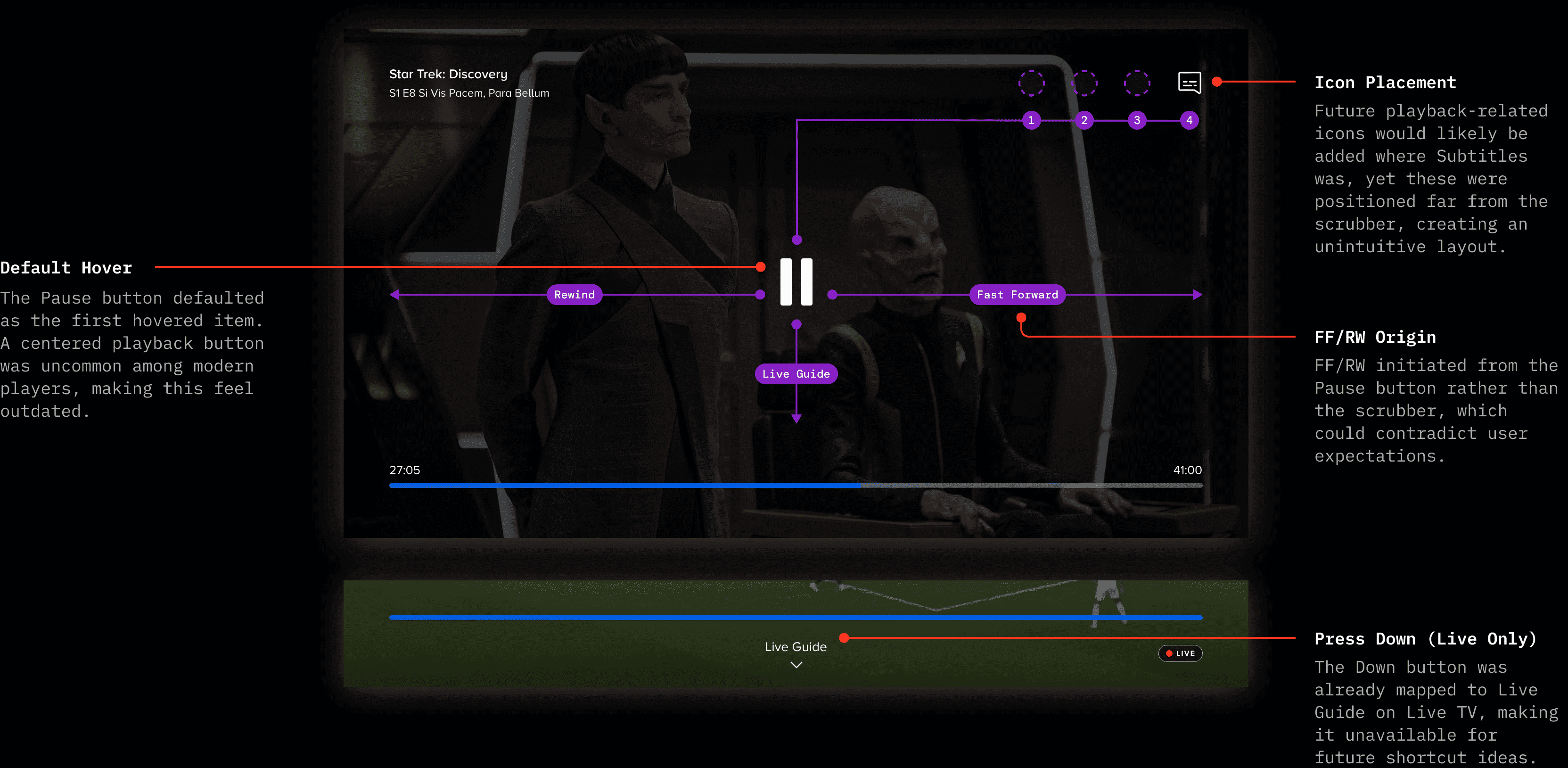
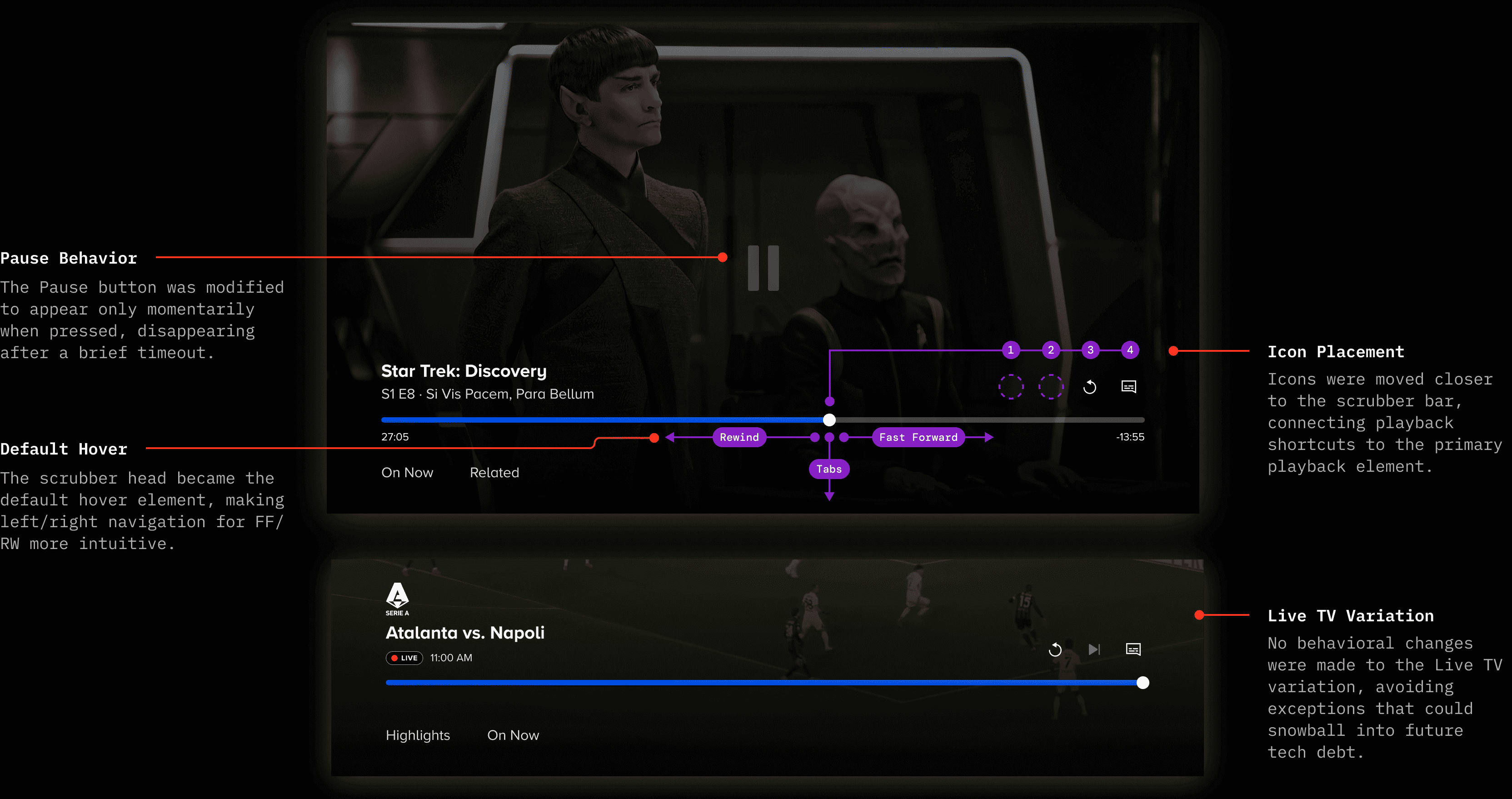
In the old design, controls were scattered across all four corners of the screen, which obstructed the content and made the interface difficult to parse at a glance. The layout also created unintuitive associations: playback controls originated from the pause button rather than the scrubber bar.
Old Video Player
Redesigned Video Player
Designing at a distance
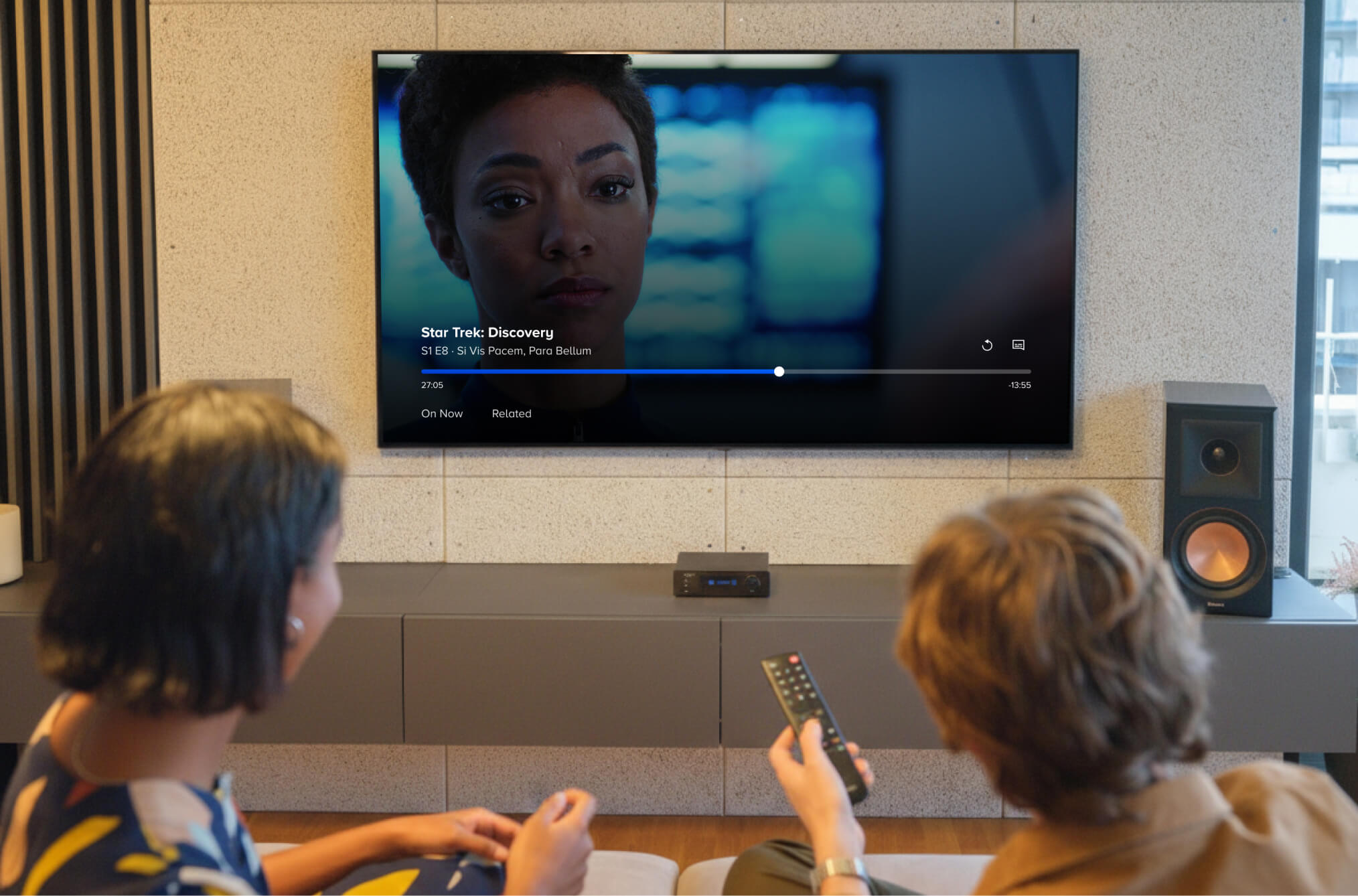
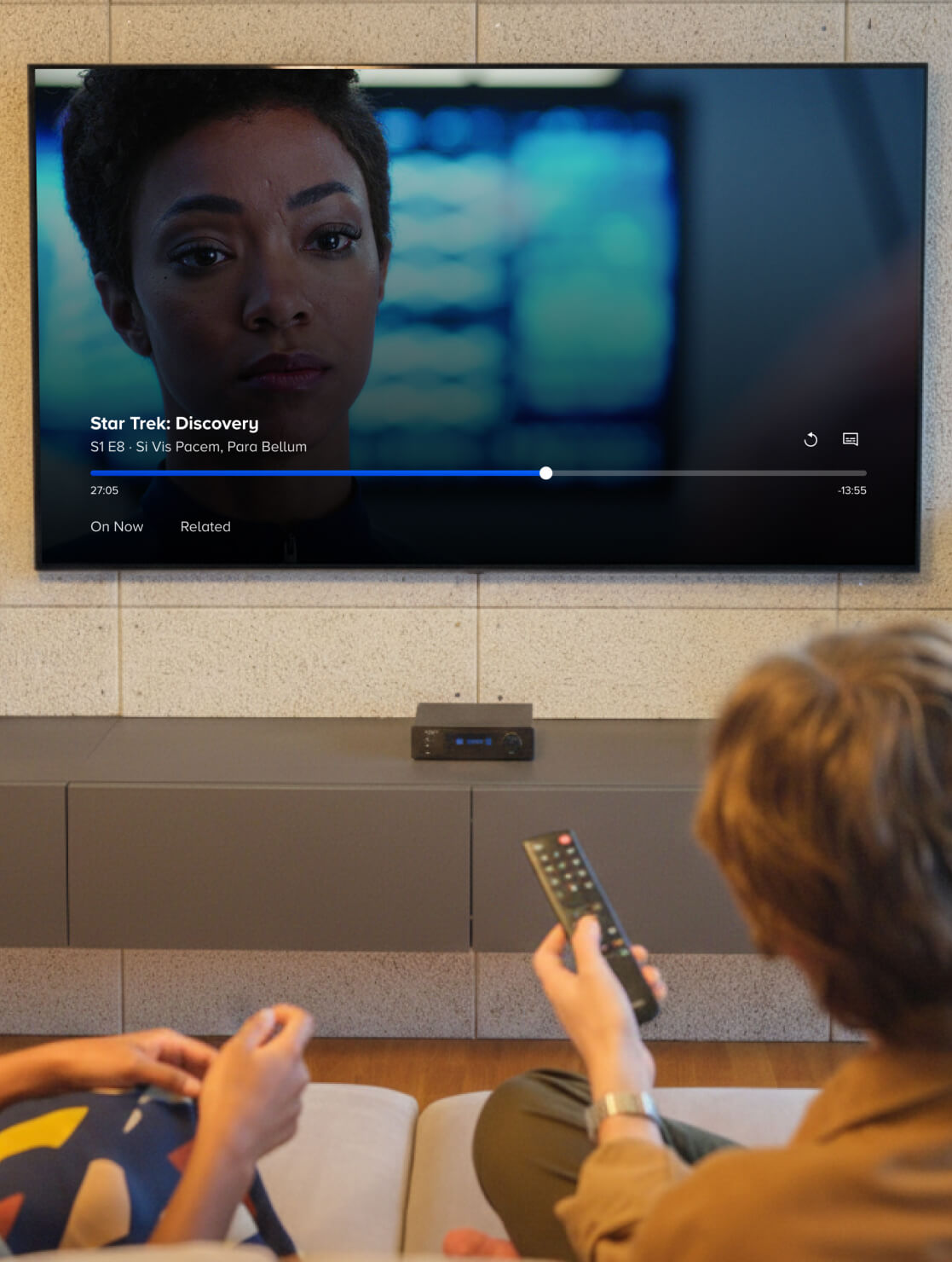
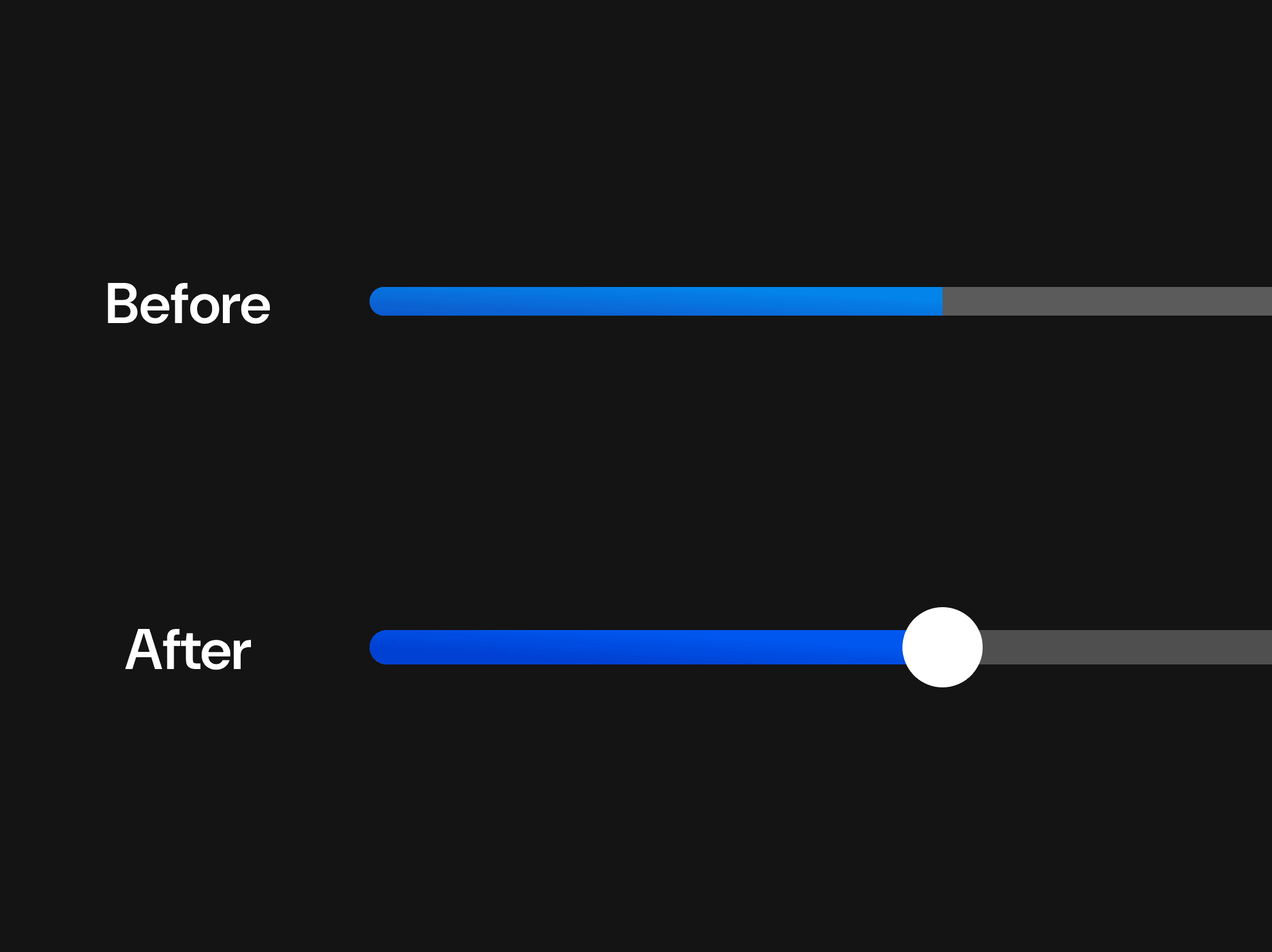
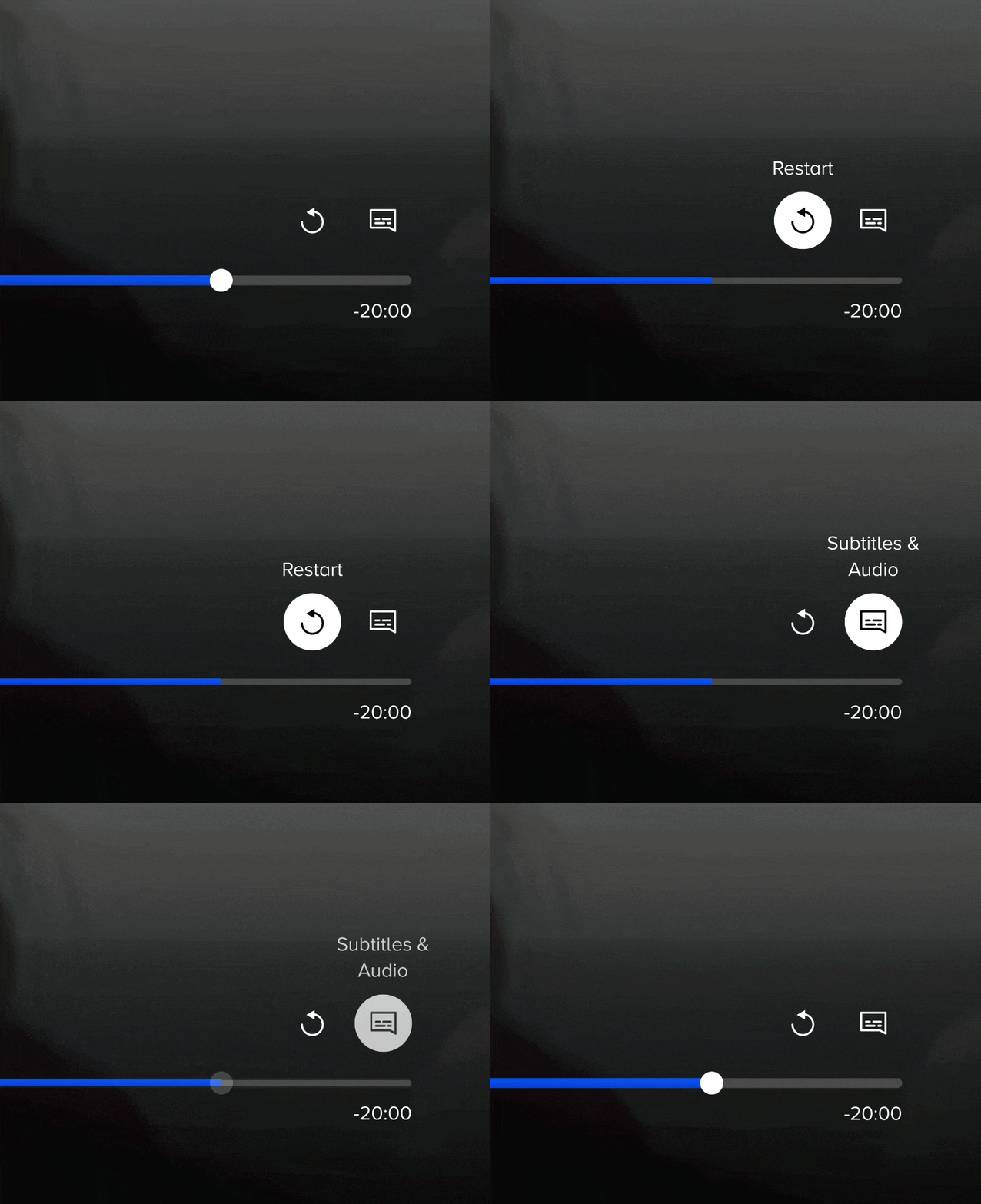
Designing for TV means designing for a screen that's 10 feet away, on a display far larger than a laptop screen. To pressure-test sizing, spacing, and color accessibility of the UI, I routinely used Apple's Screen Mirroring feature to cast my mockups and prototypes to an actual TV. What looked balanced on my laptop often needed significant adjustment at a realistic viewing distance; for example, elements that seemed appropriately sized at arm's length had to be re-imagined for D-pad focus states at a further viewing distance. This became a regular checkpoint in my workflow.
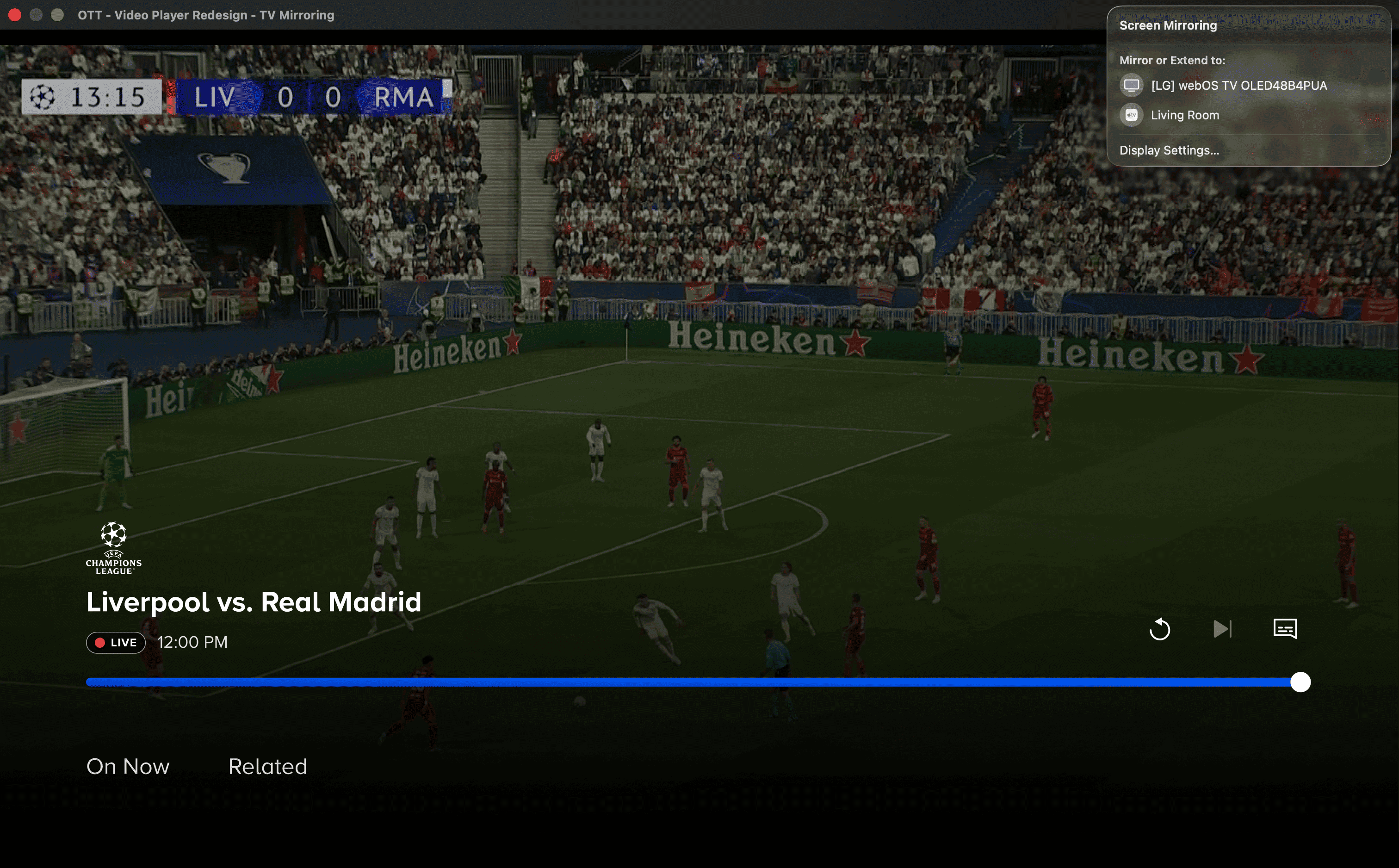
During the design process, I often checked my designs by enabling fullscreen on Figma's prototype screen and using the "Screen Mirroring" feature built into MacBooks.
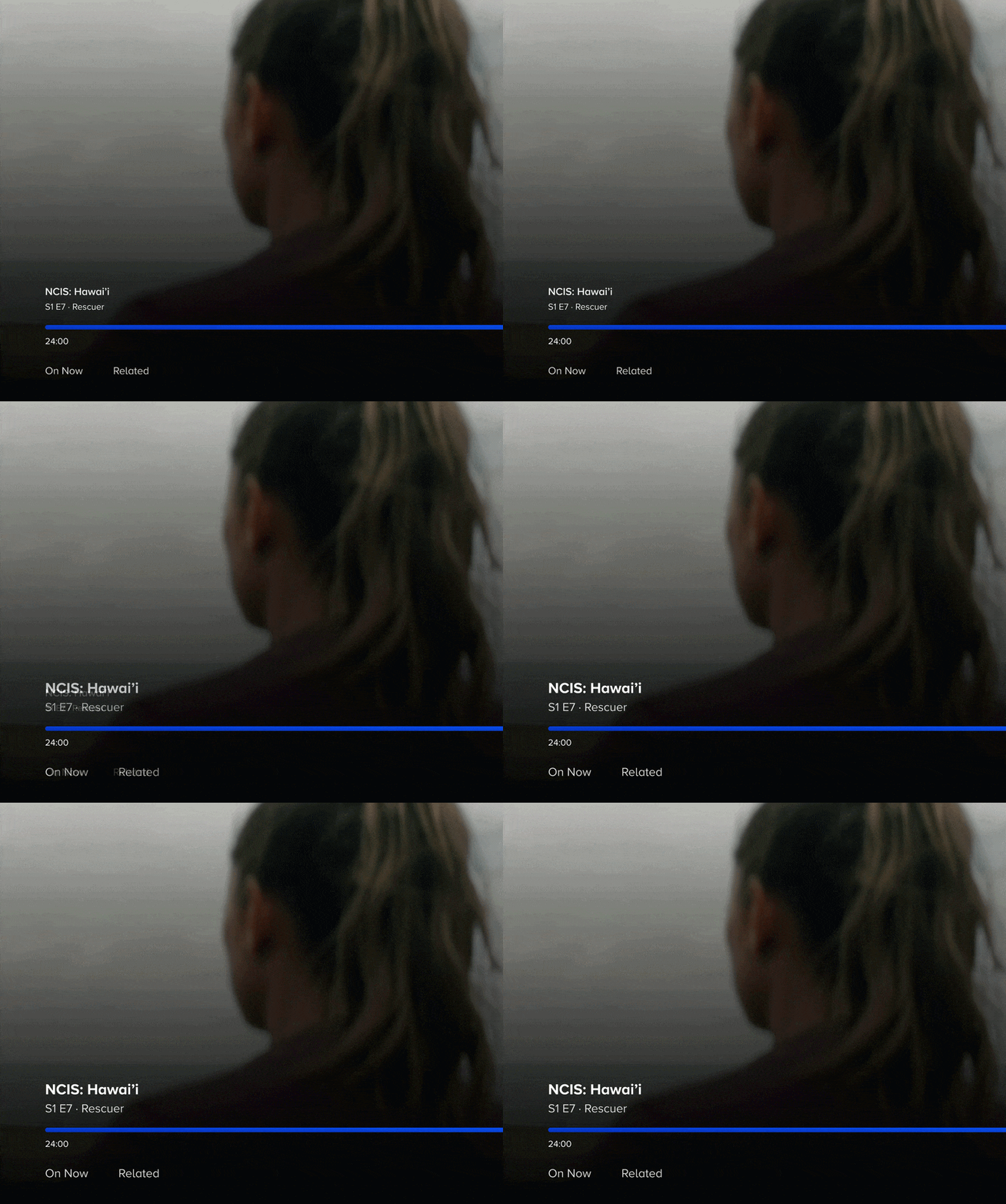
VALIDATING VIA RESEARCH
What the research revealed
After launch, the research team ran moderated usability sessions and a quantitative survey with Paramount+ subscribers. I built the prototype flows used in the sessions and observed the moderated tests firsthand. Here's what we learned.
VALIDATED
The new navigation model was intuitive
Participants found the consolidated control layout easy to navigate using their remote. The bottom-region structure let users quickly access playback controls, browse discovery content, and jump between episodes without losing their place.
VALIDATED
Discovery tabs added value for content browsing
Participants found the discovery tabs useful for finding similar content, especially near the end of a series or when their current show wasn't holding their attention. Live TV users particularly valued quick access to sports and news without leaving their stream.
INSIGHT
Tabs needed stronger initial visibility
The text-based tab labels were too subtle for first-time discovery. Frequent users found them organically, but less frequent users needed a stronger visual cue to notice the browsing options below the scrubber.
POST-LAUNCH IMPACT
What this design unlocked
The unified player became the foundation for everything that followed. Before the redesign, every new player feature required thinking through designs for two player architectures (VOD and Live). After unification, new features could be designed and shipped quickly.
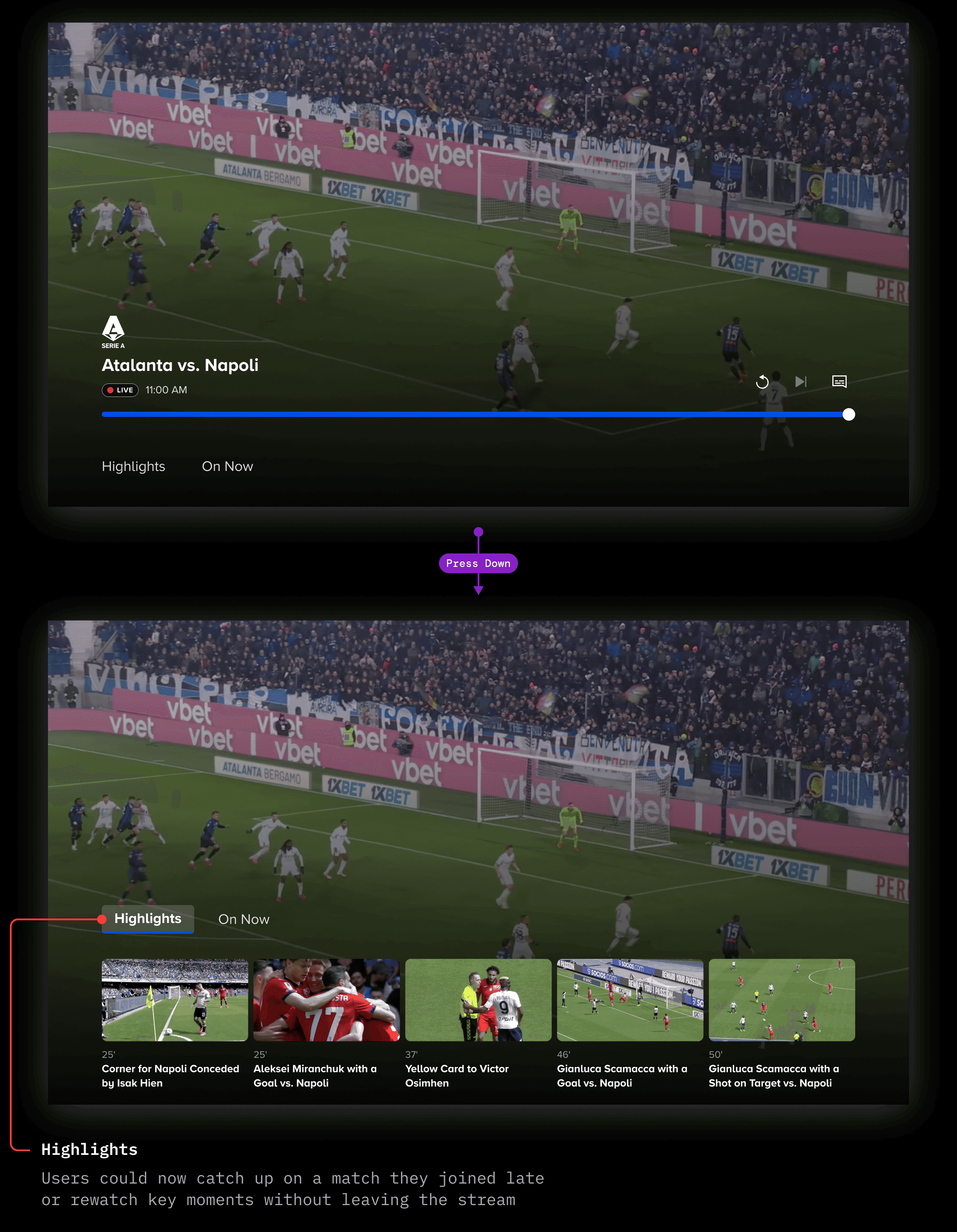
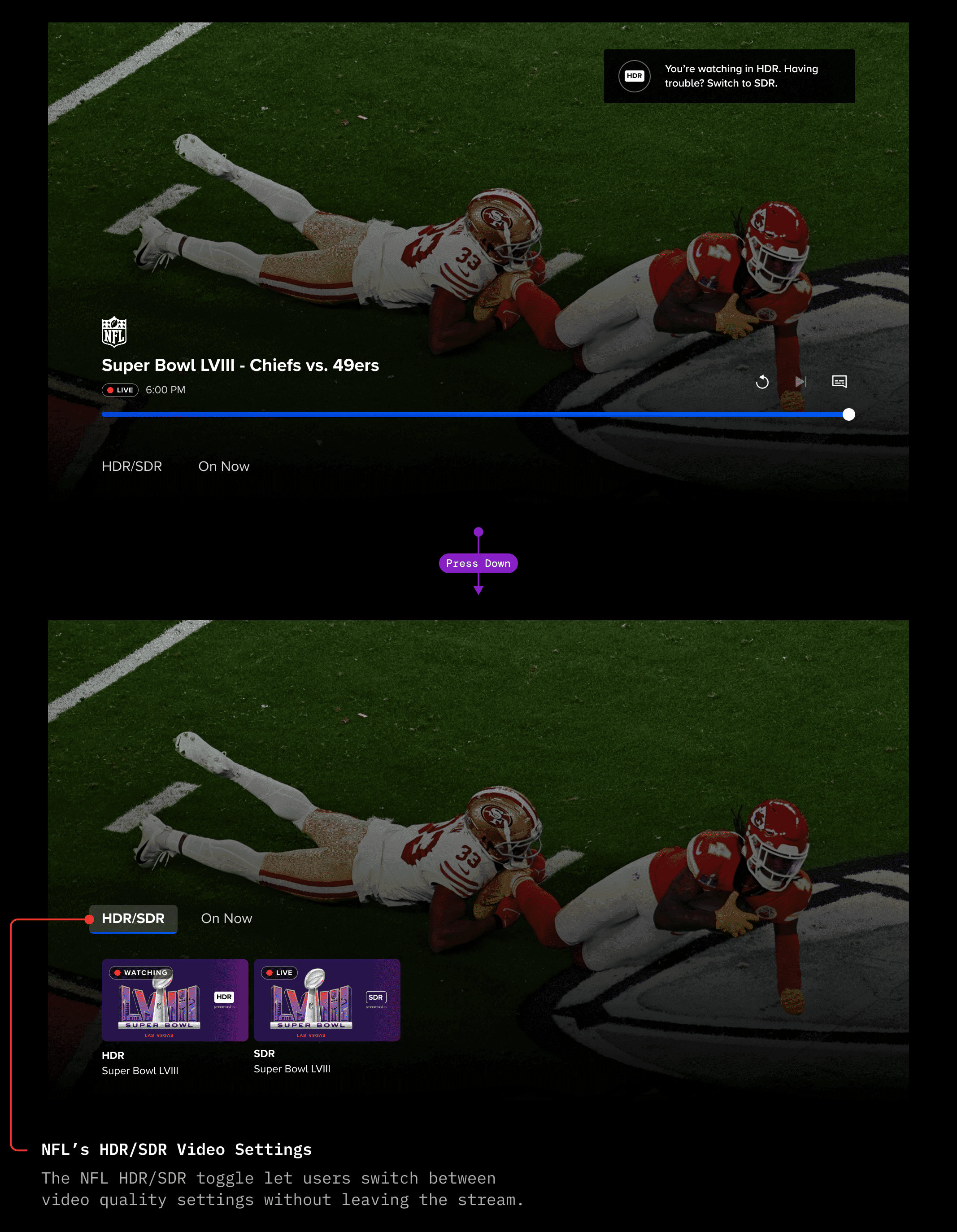
The team used the new architecture to ship features like Sports Highlights and HDR/SDR video quality toggles for NFL streams — features that would have been difficult to implement in the old design. The consolidated bottom-region layout I established gave future designers a clear, scalable canvas to build on without having to re-design where controls should live.
Sports Highlights
NFL Partnership - HDR/SDR Video Settings
REFLECTION
What I learned, and what I'd do differently
Paramount+ was my first foray into OTT-specific design, so it was crucial to pressure-test designs from far away. I learned the challenges of defining an entire interaction model for remote-first devices.
I often (and if you relate, great to be on the same team) over-scrutinize my own designs, thinking the design isn't "just right." Oddly, the practice of Screen Mirroring helped me learn that when I've been sitting at my laptop for a few hours, it's good to step back and remove yourself from the screen, or look at it from far away. While Screen Mirroring became a regular practice for me at Paramount+ (just because so many designs were TV-focused), I took this lesson of reviewing designs from afar, to heart.
This project also changed how I approach decision points. When I'm weighing two viable directions, I now reach for a quick research touchpoint early — even an informal one — rather than debating internally or waiting for a formal research phase. It's faster, and it builds team alignment around evidence rather than opinion.
I took that learning directly into my next project, designing for Promo Reels.