
MINT MOBILE
2020
Establishing the Dark Mode Palette for Mint Mobile's App
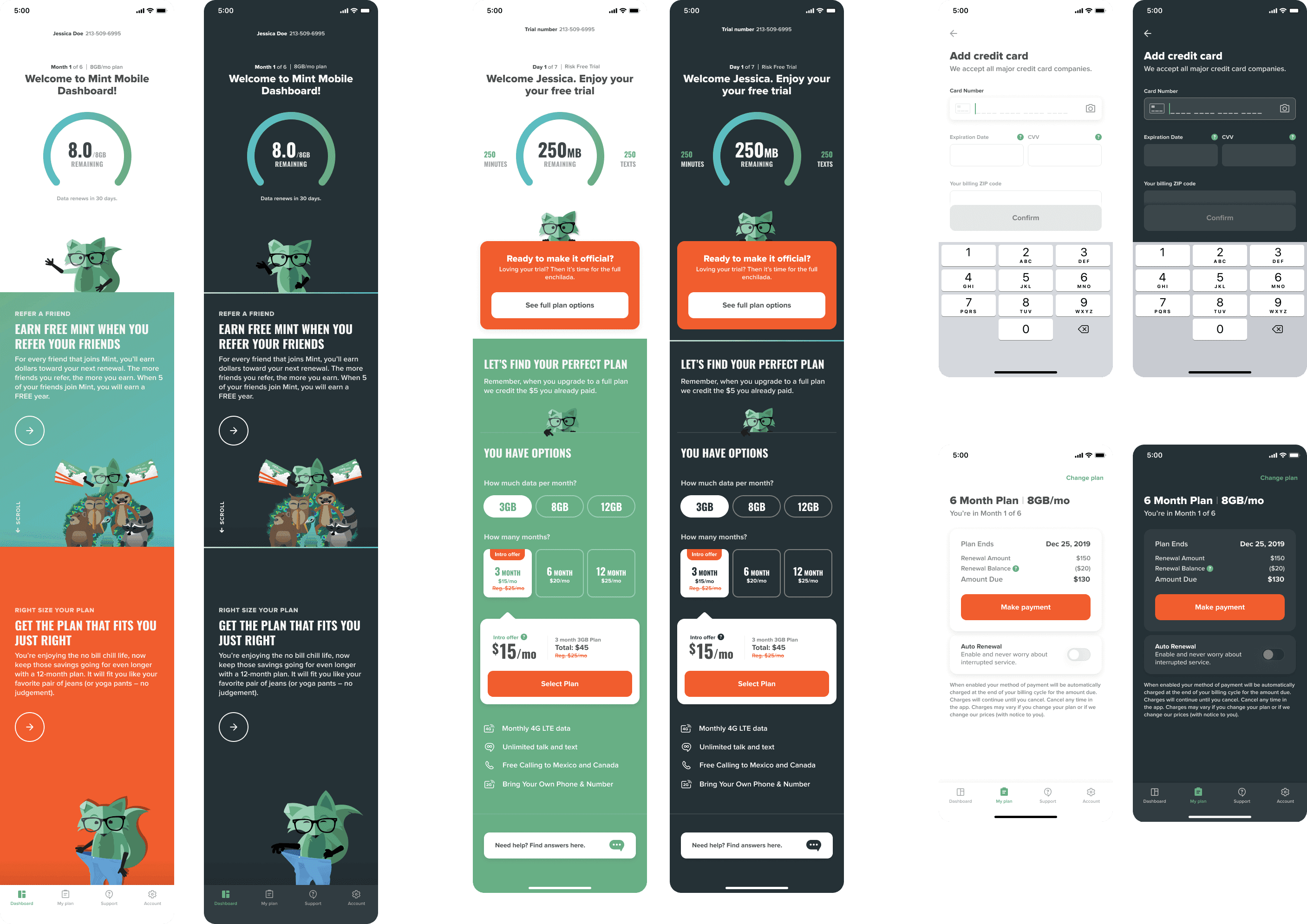
Mint Mobile provides customers a mobile app that allows them to easily manage their cellular plan on their phone. Customers had been requesting a Dark Mode version of the app for a while, and I was tasked with modifying the existing Light Mode color palette into a Dark Mode scheme. I was the sole designer for this feature, establishing Mint Mobile's very first Dark Mode design system. I worked closely with Product to facilitate discussions with app developers about design feasibility and programming limitations.
Role
UX Designer
Timeline
June 2020
Platforms
INTRODUCTION
Why create Dark Mode?
An up-and-coming trend
Mint Mobile's mobile app is the primary way customers engage with and manage their cellular plans. In 2020, the app team noticed Dark Mode gaining traction across web and mobile design trends. Wanting to keep up with emerging trends, they approached the design team to request Dark Mode explorations, so the app can stay aligned with industry trends and keep the brand's tech-forward identity.
The business requirement
Each member of the design team explored several concepts. In a stakeholder review, my Dark Mode palette explorations were selected. From there, I took ownership as the sole designer on the project.
How might we...
Create a Dark Mode design system that thematically matches the brand’s established design guidelines, while meeting accessibility guidelines?
SOLUTION
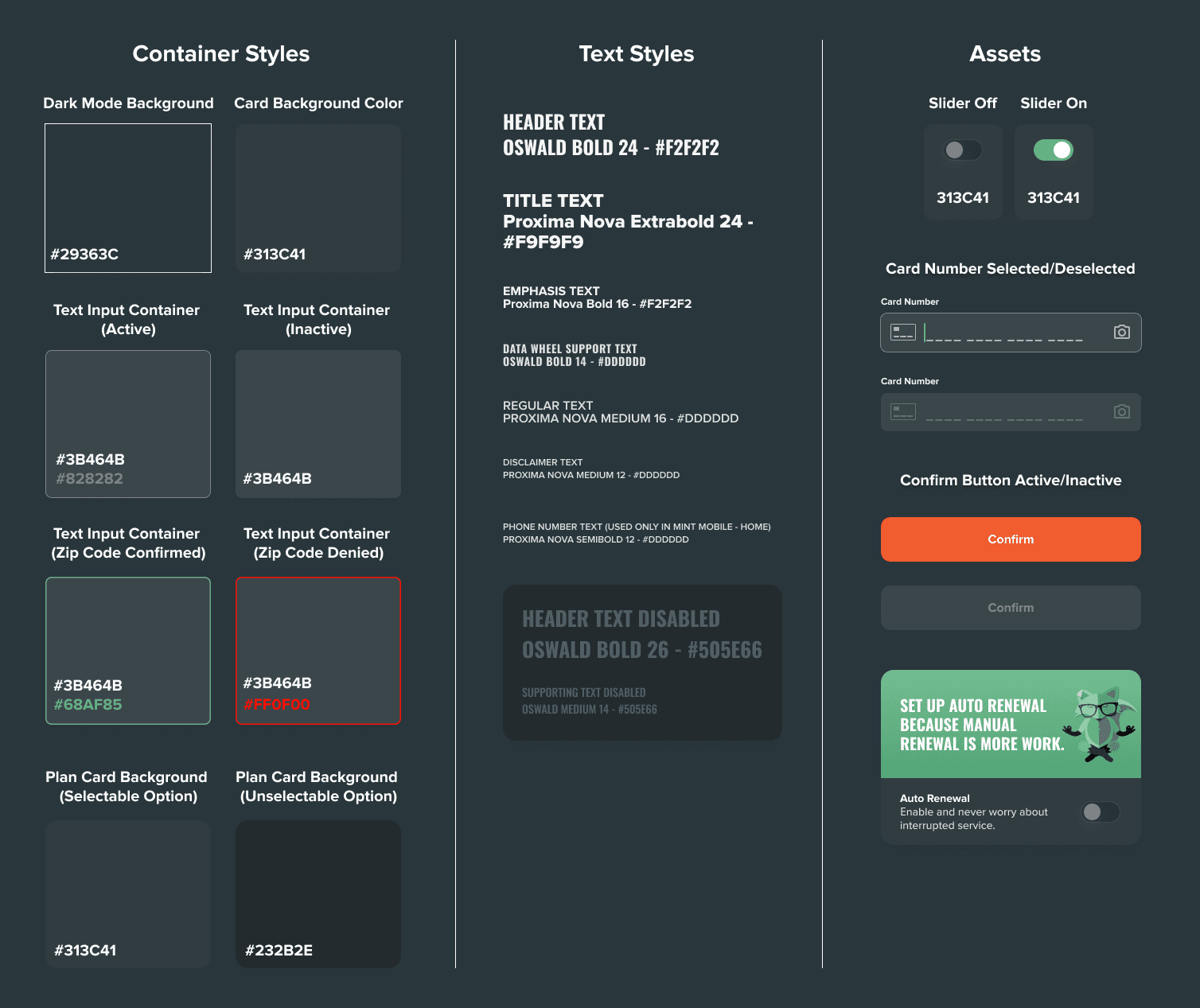
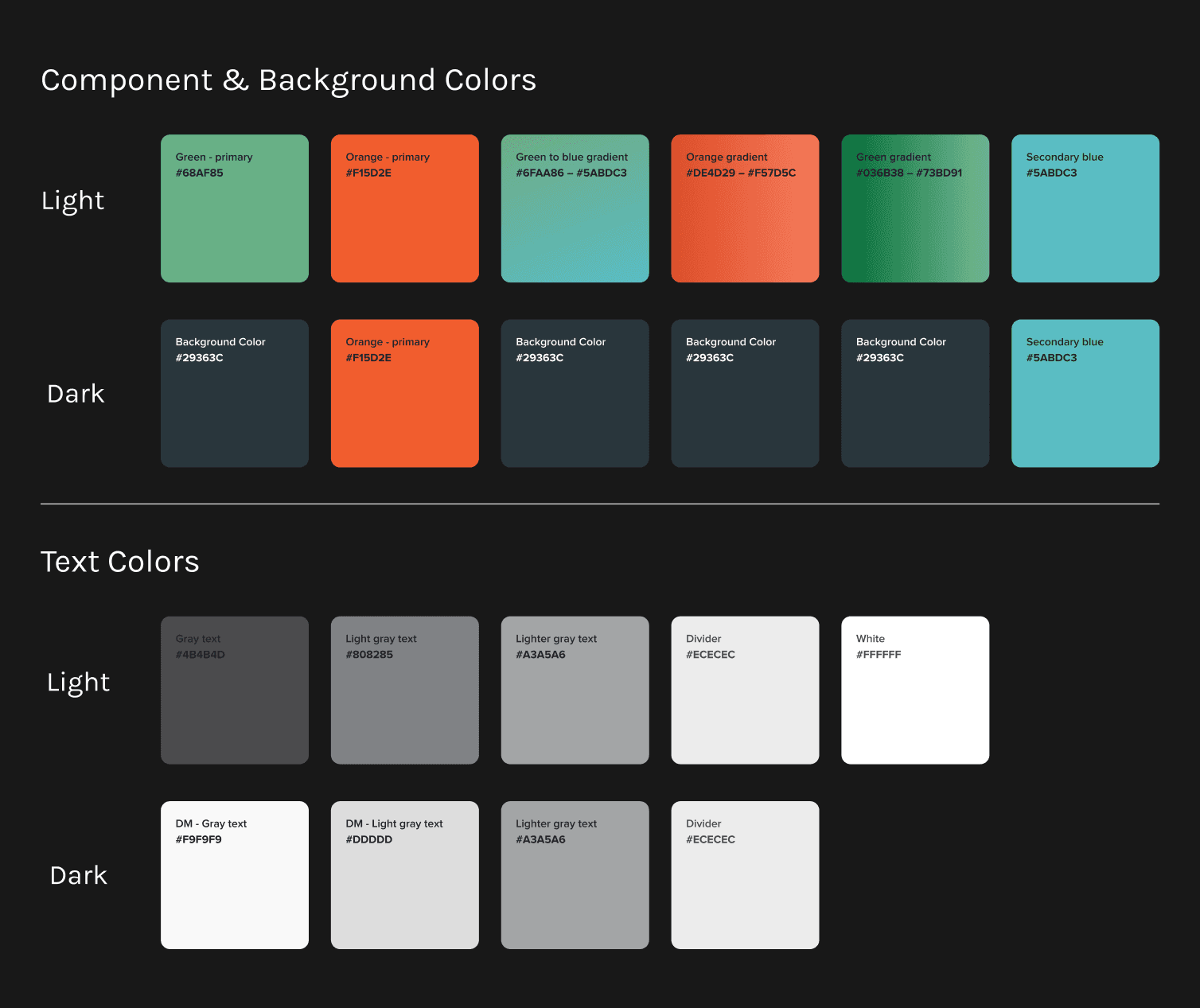
The final color palette
Final designs
Once I received final approval about the color scheme chosen for Dark Mode from the app developers and project stakeholders, the Dark Mode color palette was successfully implemented into the Mint Mobile iOS and Android apps.
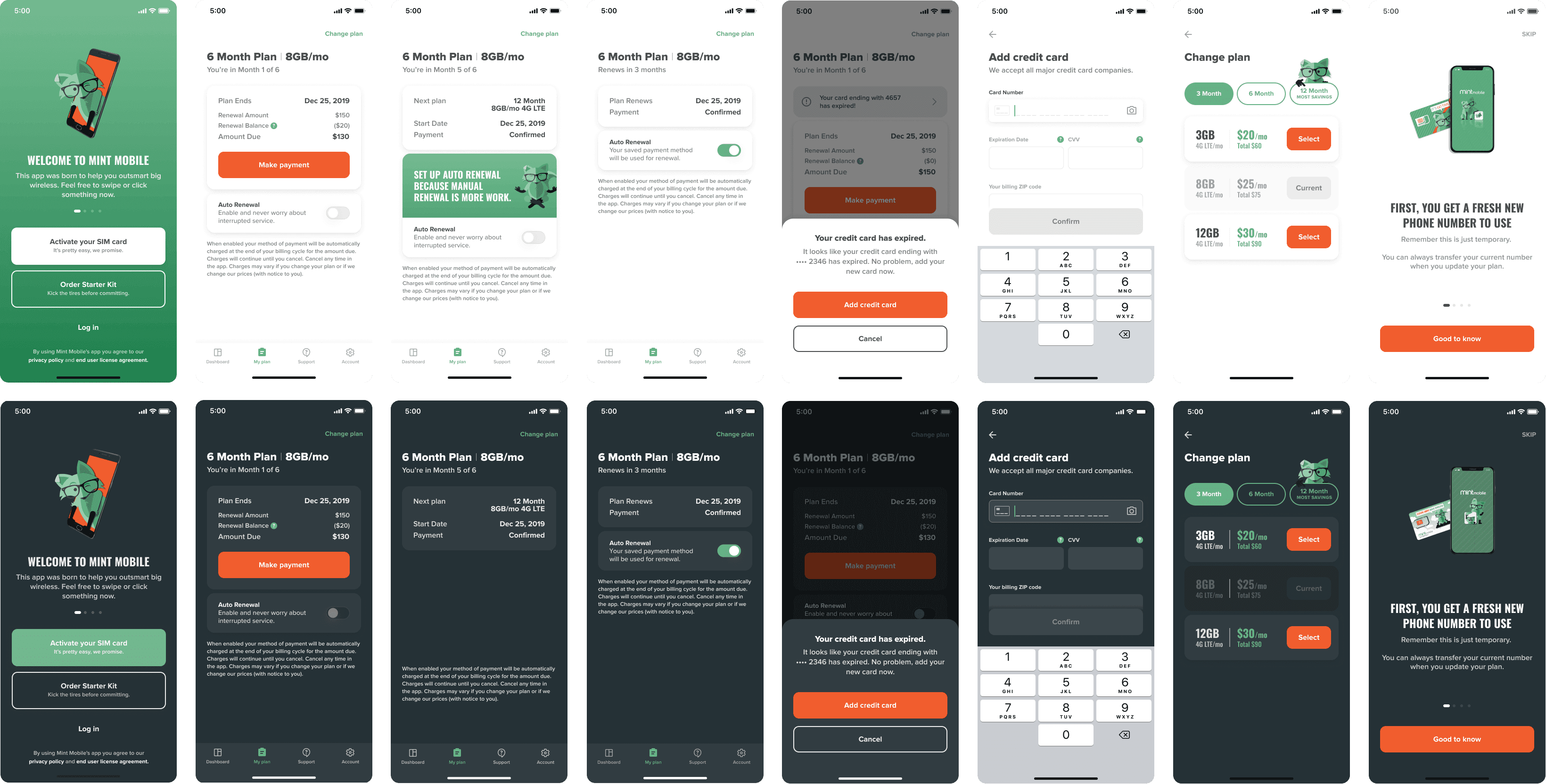
Comparison of Light vs. Dark Mode.
PROCESS
Looking at best practices
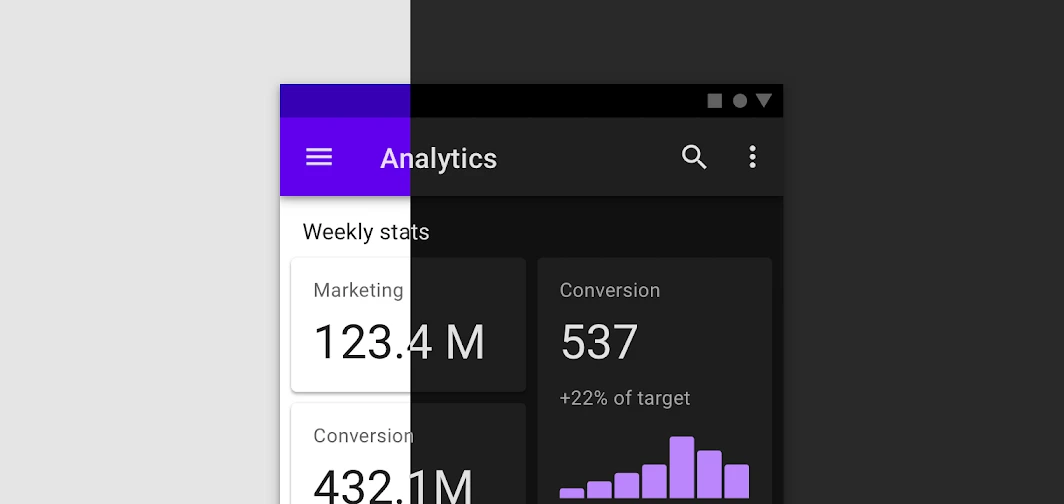
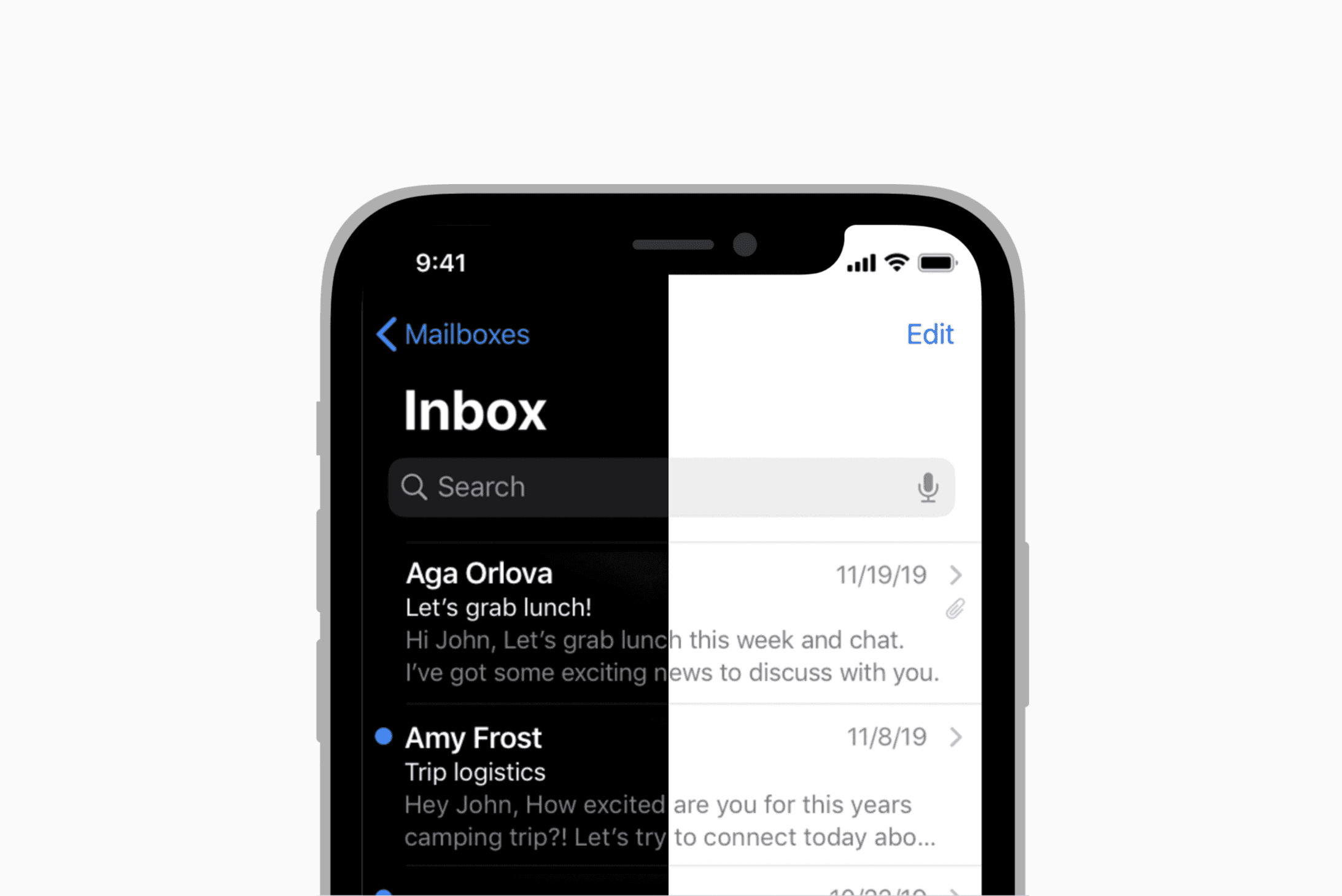
I started by looking at Dark Mode guidelines published by Apple's Human-Interface Guidelines, and Google's Material Design documents.
Problem
Designs for Material Design and Apple iOS used a pure black background. I originally opted to follow a similar color scheme, but quickly realized our brand’s mascot — the Mint Fox – has arms and feet that are also pure black in color. I needed to find another background hue that wouldn't drown out our mascot.
Solution
I worked with our existing Light Mode color palette to modify our brand's signature teal color to create a darker variant that could be used for the background. The teal provided just enough color differentiation where even if it were a darker hue, it wouldn't compete with pure black.
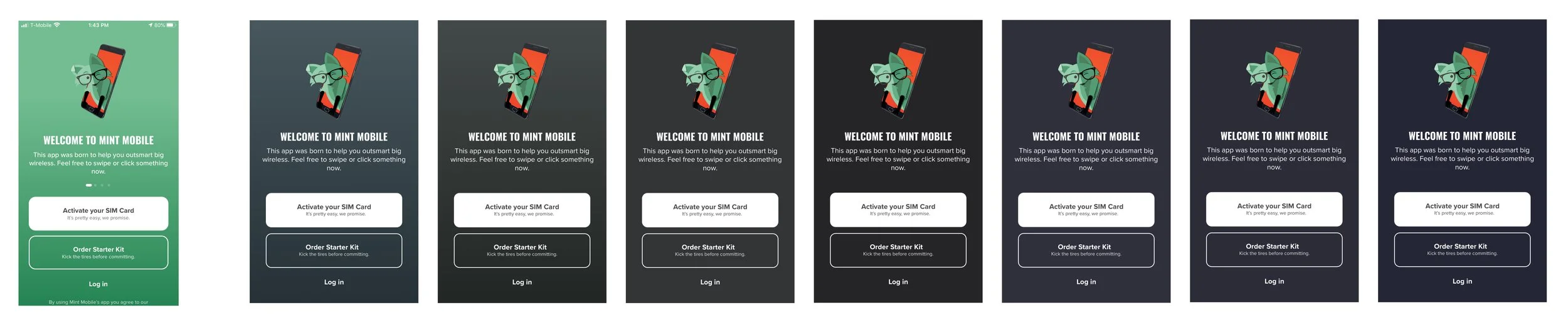
Early background color explorations.
Managing bright color assets
Challenge
I faced a challenge with translating the Light Mode color palette to Dark Mode, as the app used many vibrant colors (such as orange and green-blue gradients).
Action Taken
I did not want to sacrifice the brand’s color palette, so I looked into ways to preserve the bright colors. I referenced Apple’s Dark Mode designs, and how they utilize transparency for bright colors to allow the dark background to show. Another option was to remove the bright colors and substitute with the main Dark Mode background color.
Outcome
Ultimately, the project stakeholder’s asked to use the main Dark Mode background color in place of screens where vibrant colors were used to fill the entire background. For smaller assets, I kept the vibrant colors in place.
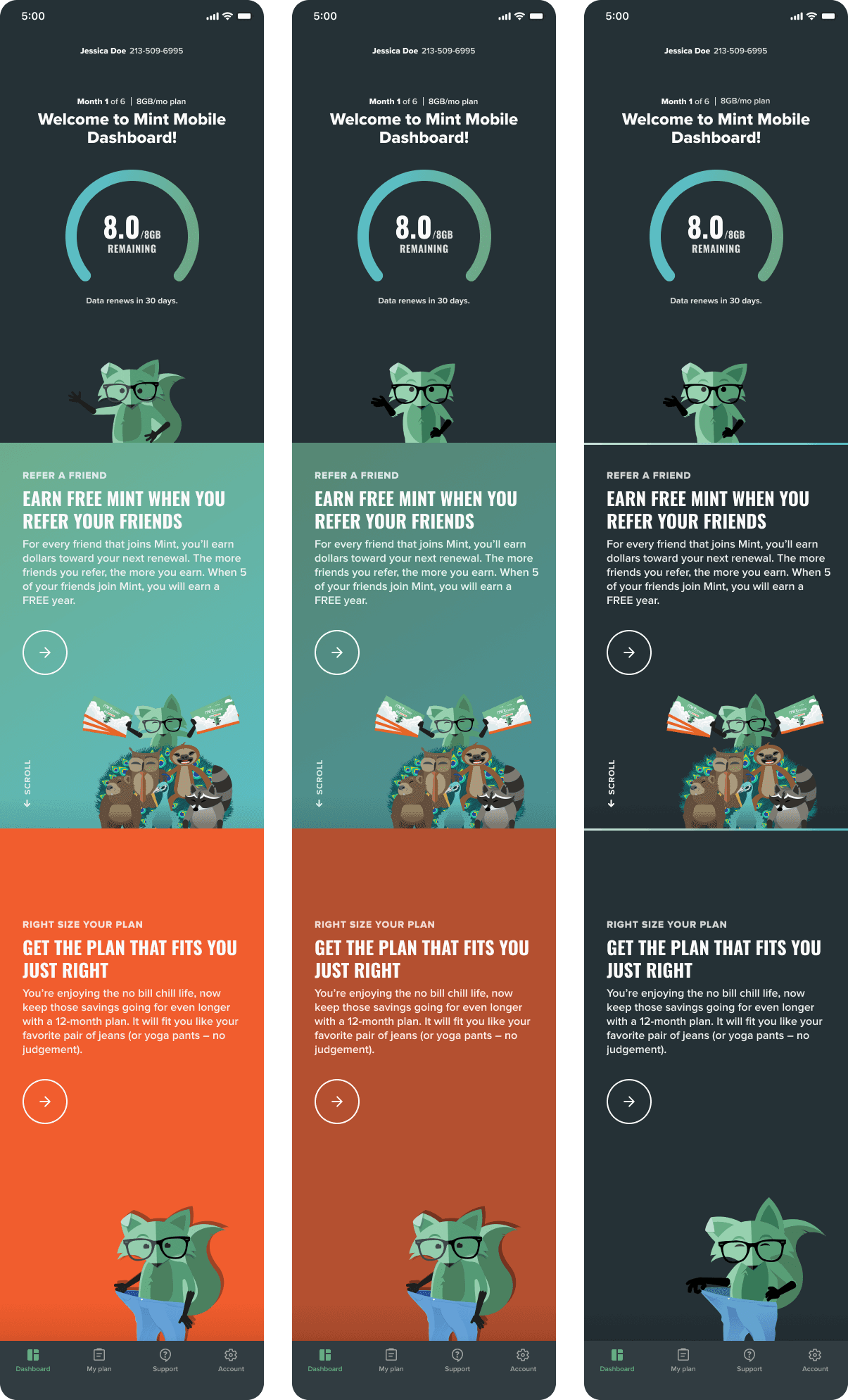
Testing different treatments of managing bright color backgrounds.
Managing third party assets
Logo constraints: American Express logo
Mint Mobile's app has a payment processing screen that features our accepted payment partners. As I was reviewing each brand’s logo guidelines to research if they had Dark Mode compatible logos available, I came across American Express’s logo guidelines and discovered that our app had been using the wrong logo style for its pixel size.
Solution
I provided a recommended fix to the app developers, showing them images of the official American Express icon rules from their logo handbook.
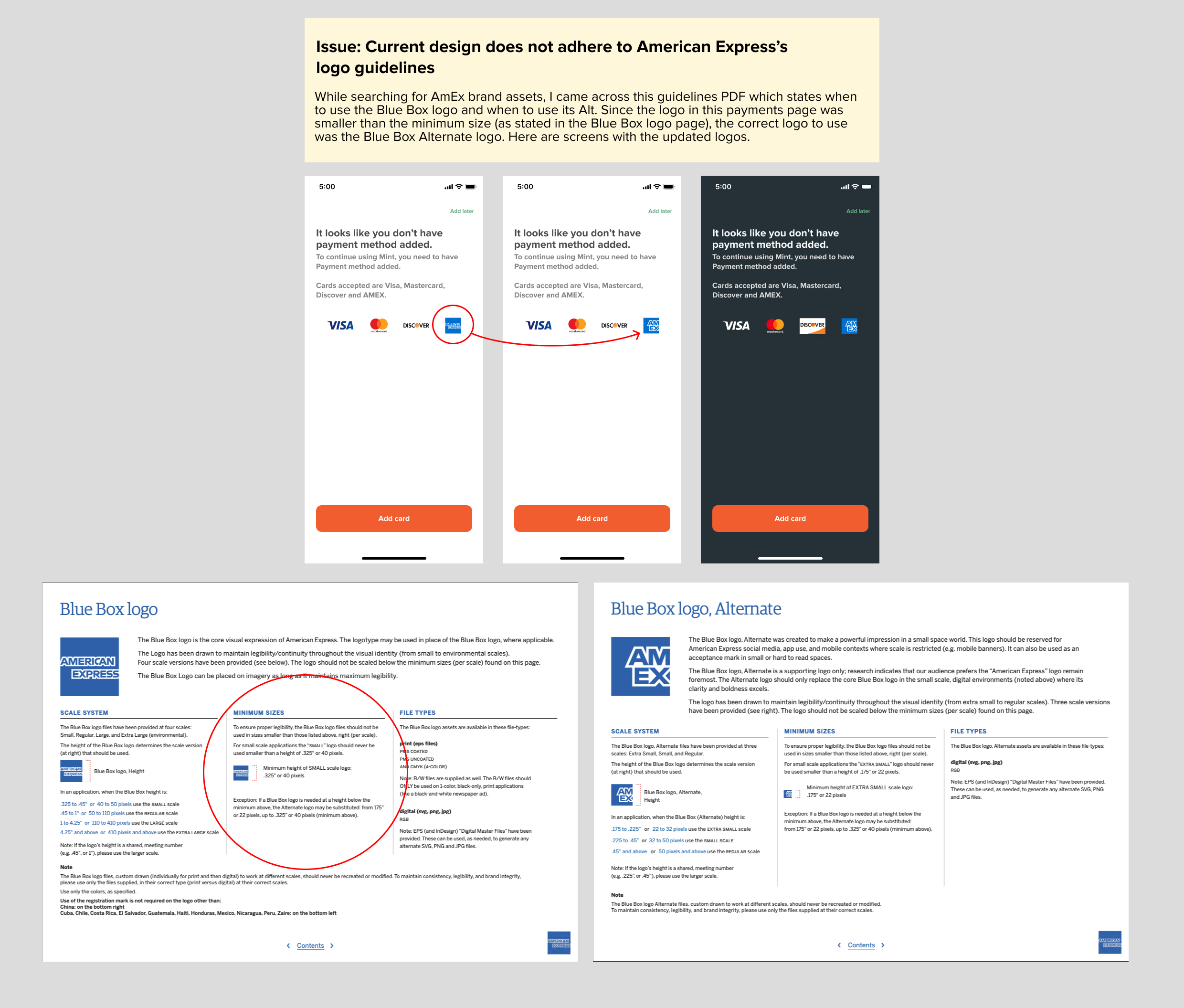
Logo guidelines that I presented to stakeholders and developers.
Legal issues with Dark Mode compatibility and third party assets
An issue with brand logos in Dark Mode was that their logos could not visually work with Dark Mode (due to loss in visibility). I created 2 workarounds for this:
Translate logos to an all-white palette
Opt to add a white background to the buttons
While Option 1 provided a better visual workaround, I voiced my concerns about the legality of changing colors of external brand logos.
Outcome
Option 2 (add a white background) was selected for the final designs.
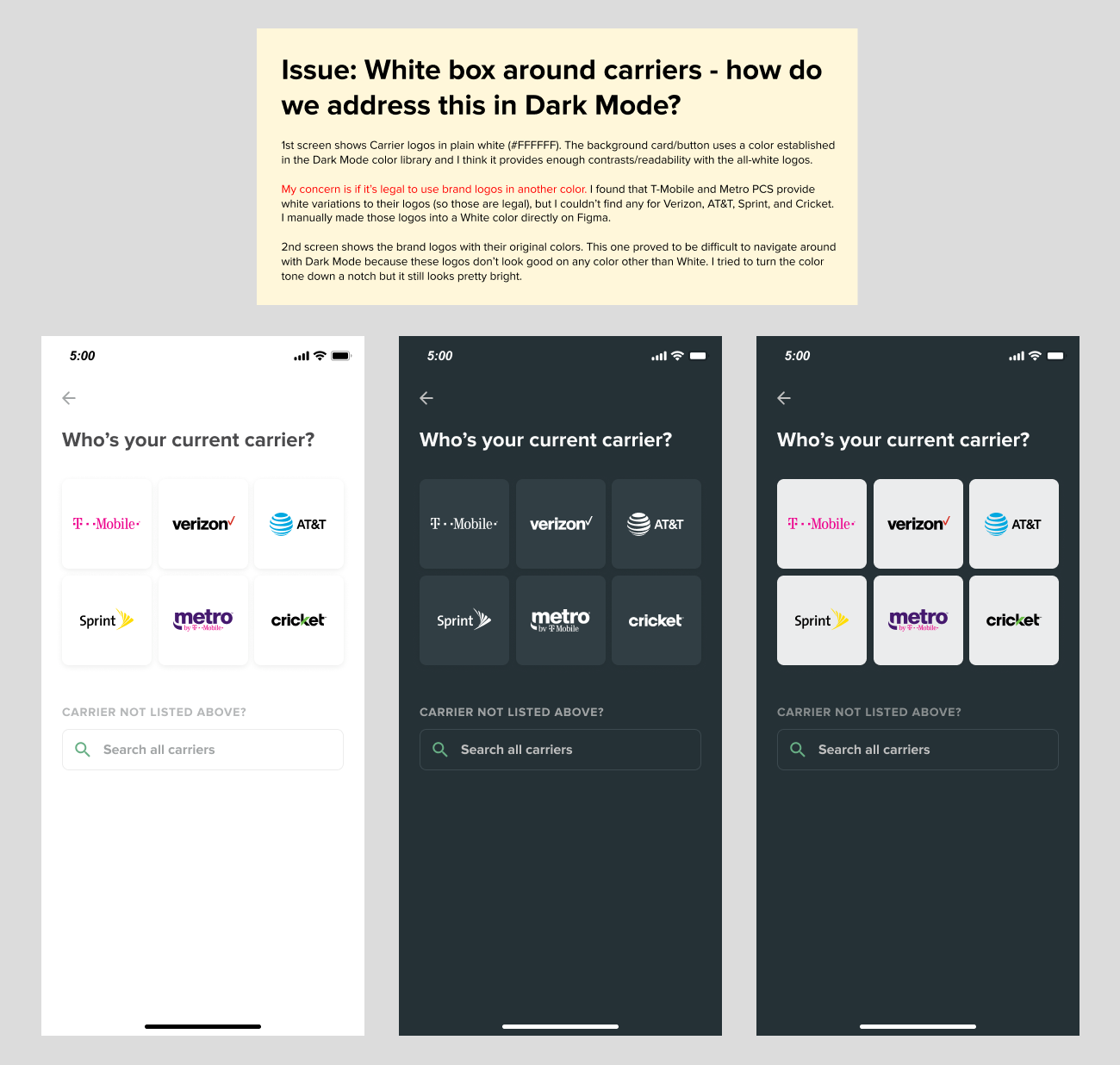
Logo options that I presented to stakeholders and developers.
HANDOFF
Initiating knowledge transfer
Throughout the design process, I created, documented, and organized all assets changed from Light Mode to Dark Mode.
Transferring knowledge to new hires
I was tasked with a knowledge transfer of my work to a new design hire, 6 months after its initial completion. I walked the new designer through navigating the file and how to use the Dark Mode toggle plugin connected to the file’s library. It was helpful having prior documentation already ready, so that it was easy to go back and reference my own work in the past.
I believe it’s always good practice to document your work — you never know when you might have to reference it again later!
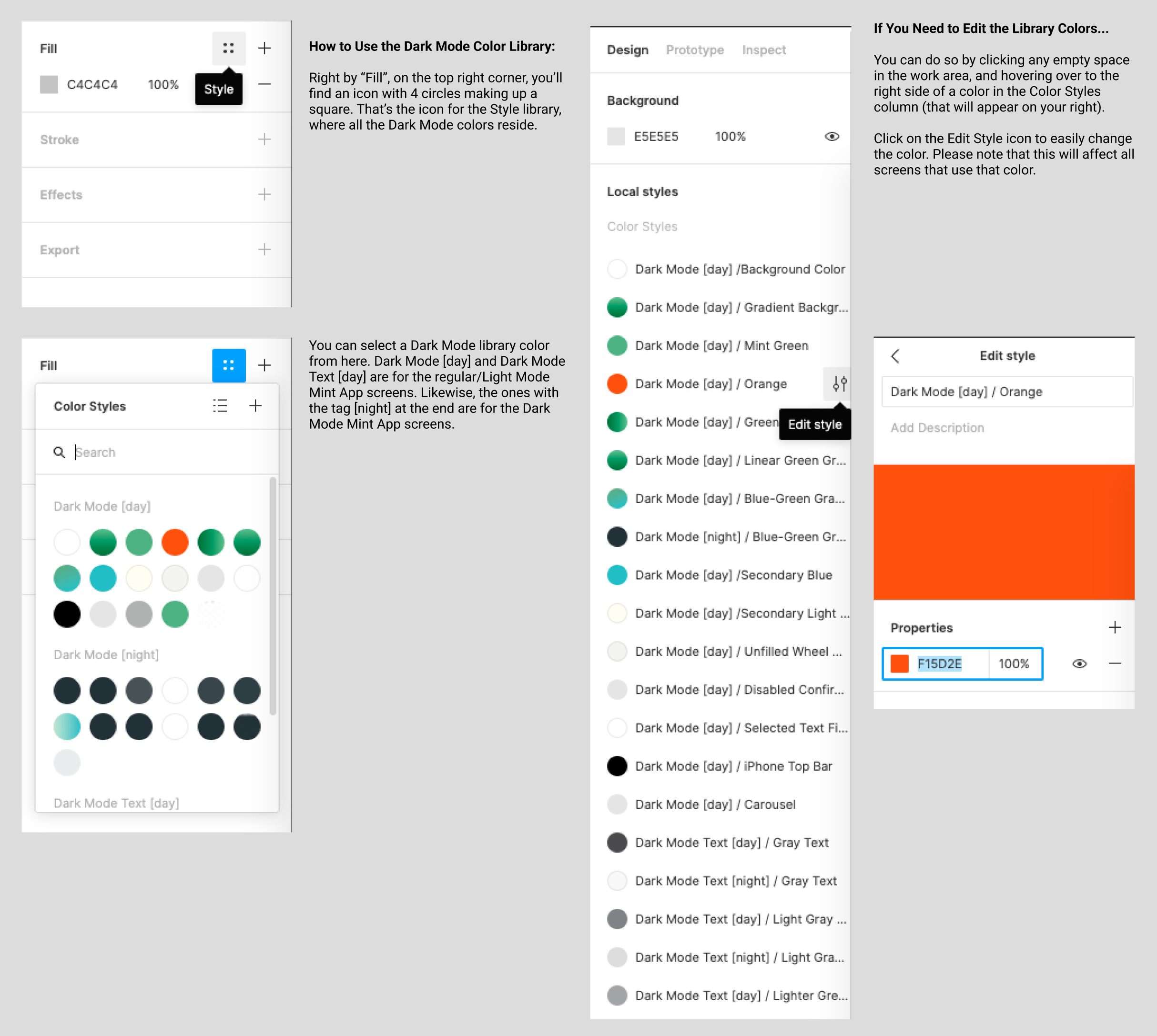
Screenshot of the Figma file I presented to developers and stakeholders.
IMPACT
Praise for Dark Mode
On designing for all platforms
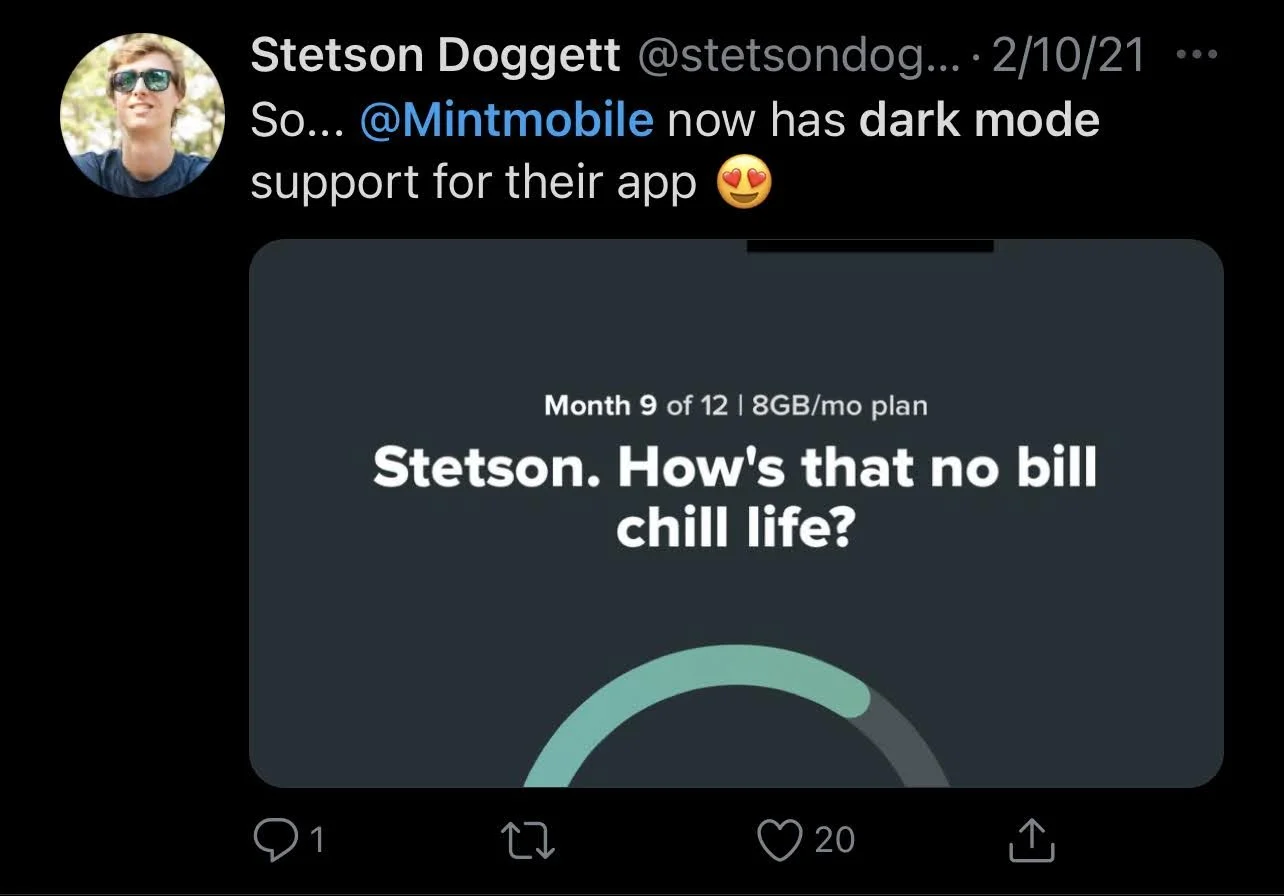
The rollout of Dark Mode was met with praise from Mint Mobile customers on Twitter and Reddit. Most notably, Stetson Doggett, owner of BestPhonePlans.net, commented on Twitter about the new color scheme.
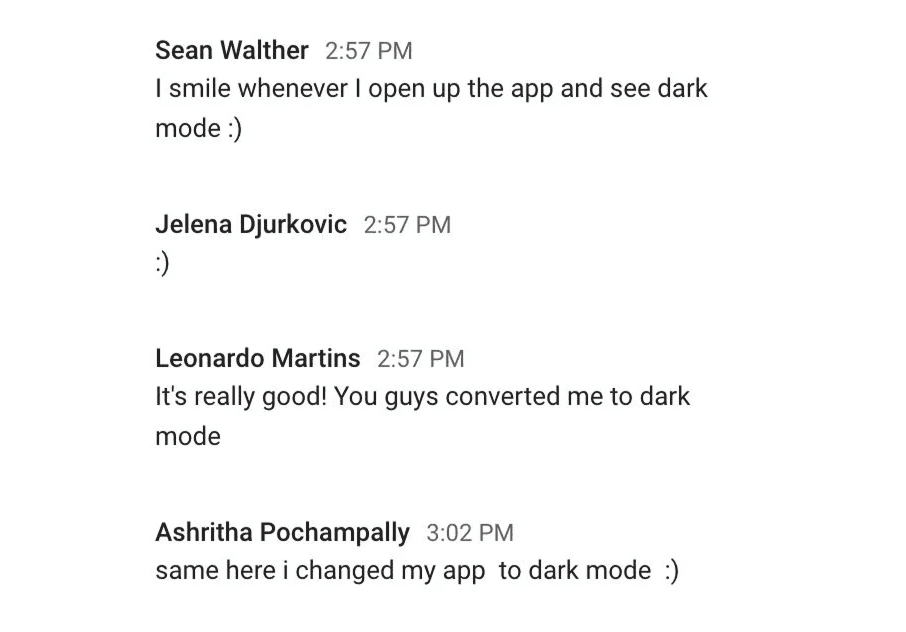
As an added bonus, the engineering team at Mint Mobile also let me know that they themselves also adopted Dark Mode as well!
Reflection
Final takeaways
Reflecting on what I would've done differently
Ideally, I would've pursued tracking the percentage of Mint Mobile customers who had activated and utilized the Dark Mode palette on a consistent basis. However, I did not have the ability to track metrics post-launch.
Understanding the platform and its potential design constraints
This project had me frequently think about how color may affect visibility on smaller assets, such as tiny legal text. In these situations, I thought about the mobile form factor, and opted to brighten the legal text so that it remained legible even on a small device.
Understanding the importance of developer feedback
I couldn’t have succeeded in this project without the help of the app developers. They provided me so many helpful insights about the constraints with building out a new color palette, which allowed me to pivot my design decisions early. I learned that any programming constraints should be identified and addressed early, and often.